20831
Assembling a Virtual Reality helmet with your own hands in one evening, with HD image and head tracking
There are almost no people left who have not heard of virtual reality, and, probably, everyone has already heard about the Oculus Rift VR headset, which can be said to have become the standard for this kind of devices. There are also solutions on the market that allow you to use the screen of a smartphone with a diagonal of 4-5" as a screen of VR glasses, such as Durovis Dive or the sensational Google Cardboard, which have lowered the bar for the democratic entry into virtual reality for everyone, but, nevertheless, this technology has not yet become ubiquitous: not everyone has a smartphone with the right diagonal, To take advantage of the same Google cardboard project, it is quite problematic for an ordinary person to buy a device like Durovis Dive, albeit not expensive, but worth money without any understanding of what exactly to do with it next, and even more so to order and wait for the Oculus Rift helmet itself for an ordinary person for many reasons - from the price for the device, what to do with which is not entirely clear yet and ending with a rather long wait for the delivery of the order. Naturally, the most important brake, in addition to the price, is the usual laziness and extinguished curiosity.
In this article, I will tell you about my path to virtual reality, describe a detailed and almost exhaustive guide to making a VR helmet using any relatively modern Android smartphone or tablet of any diagonal, this project will cost about 5-8 hours of work and 500-2000 rubles of costs, depending on your wishes and capabilities, and at the end you will get a very interesting device, which will allow you to watch fullHD 3D movies and photos, play Android games, and also use the helmet to play your favorite PC games of any degree of modernity. Yes, with head tracking and immersion in VR.
Therefore, if you are not lazy and you are inquisitive, please go, but I warn you, the article is filled with three dozen "potato quality" images, with a total weight of 4 megabytes.
In a recent article about Google Cardboard, readers admired such a simple and interesting concept - a cardboard helmet with a pair of lenses, insert your smartphone and fly, but many had questions "how to make it for a different diagonal", "how to install a tablet there", and, most importantly, "why is it difficult for me to see this 3D of yours". As the owner of a 6.4" Sony Xperia Z Ultra smartphone, I was also interested in these questions, especially after my friend received a parcel with a newly released Durovis Dive, where, like in a Google cardboard helmet, you can only install devices in the region of five inches diagonally, and he gave me a pair of lenses that he bought to make his own helmet.
An attempt to lean my smartphone against the durovis dive was unsuccessful – something, of course, was visible, but it was far from 3D or at least an acceptable picture, and there was no smell of virtual reality. At the same time, the fourth nexus installed in this device showed good results, but the resolution of 1280x720 pixels also did not allow for a full sense of immersion.
So, having a smartphone, a couple of lenses and some optimism in my hands, I decided to spend a little time making a VR helmet. If you already have a similar helmet of your own design, a Google cardboard or a durovis dive, and you are not interested in reading my manufacturing experience, you can go straight to the description of the possibilities of application, I am sure it will be of interest to you.
Tools and materials, necessary equipment for making a helmet
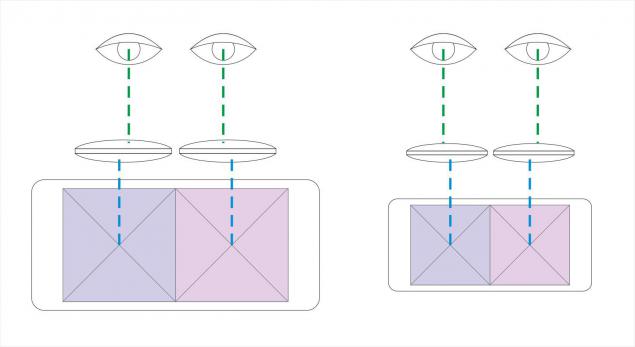
So, the first thing we need is a fullHD smartphone or tablet with the Android operating system, the more modern, the better, while the diagonal, for the most part, is not important. The long side of the screen is the most important – it should not be much less than twice the distance between your pupils, but it should not be much larger either – the center of each half of the frame should fall into the center of the pupil, this parameter is regulated by the proximity and distance of the lenses from each other, and there are pitfalls. For reference, the diagonal of the smartphone used in the described helmet is 162 mm, and the long side is 142 mm.
The second thing we need is lenses. Here you need to remember that the lens has a working area with minimal distortion in the center, and with distance from it, the image quality drops rapidly, so the diameter of the lens should be large enough to cover without distortion the difference in distances between the eyes and the centers of the halves of the frame, but at the same time not exceed a certain limit, so that the lenses can be moved closer to each other or moved farther apart. But so that the gaze passes close to the central area of the lens. This is schematically depicted in the figure below.
I will not dwell on the topic of choosing and searching for lenses, and the optical system in general, because it is problematic to fully describe this extensive topic in this article, there are a lot of options, and I do not know which one you will have. In my case, a pair of magnifying glasses were bought in a hardware store for 160 rubles, like this:
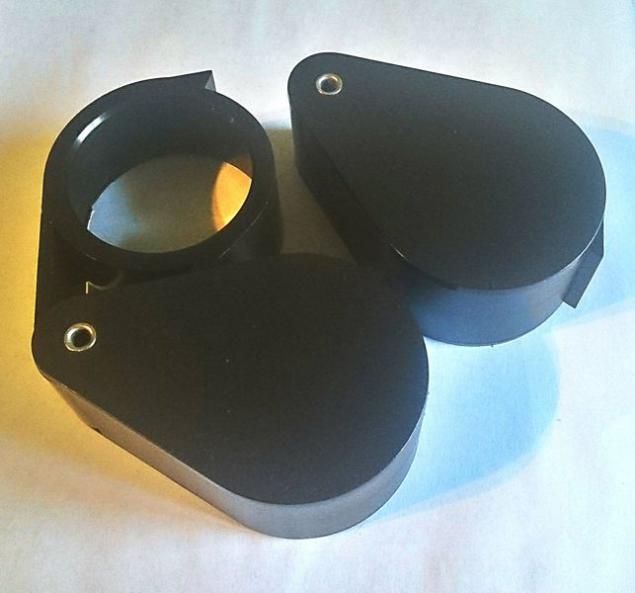
During the trials and initial settings, it was decided to disassemble their cases, and what a surprise - in each such magnifier there was a pair of identical (at least indistinguishable to the naked eye) lenses with a diameter of 50 mm and a thickness of about 8-9 mm, and we will work with them.
Actually, to make a helmet, you will need the following materials and tools from the nearest hardware store, in my case it was Leroy Merlin:
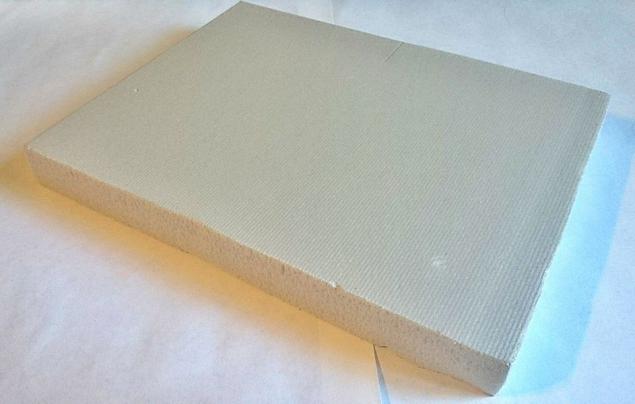
1. Construction foam, medium density, 20 mm thick – 0.5 m2, 60 rubles per sheet
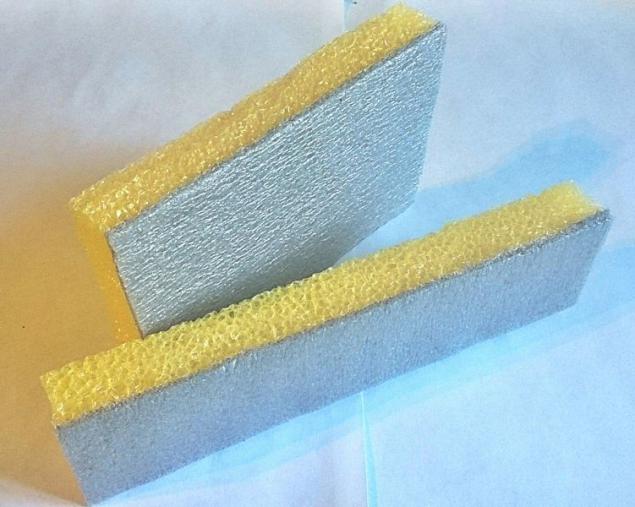
2. Foamed polyethylene, 20 mm thick – 0.8 m2, 80 rubles per sheet
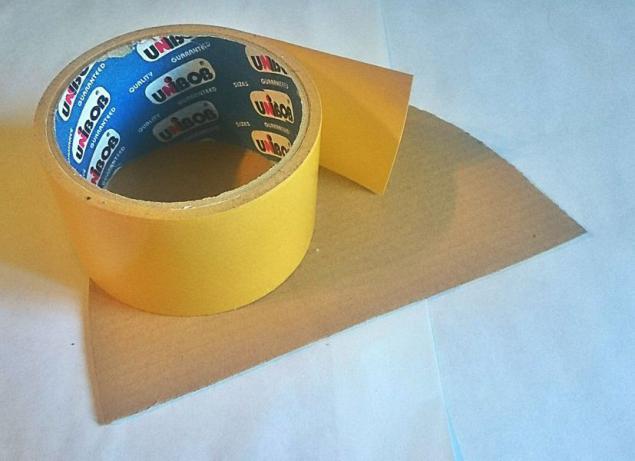
3. A roll of double-sided tape and a sheet of micro-corrugated cardboard 2mm – 60 rubles for everything
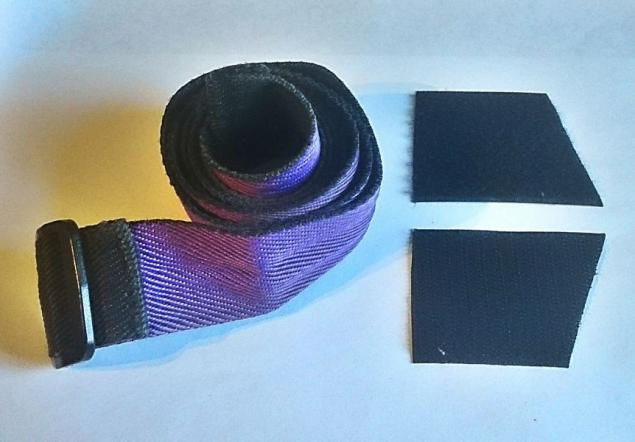
4. Wide elastic band or belt, you can with Velcro Velcro - 50 rubles for everything
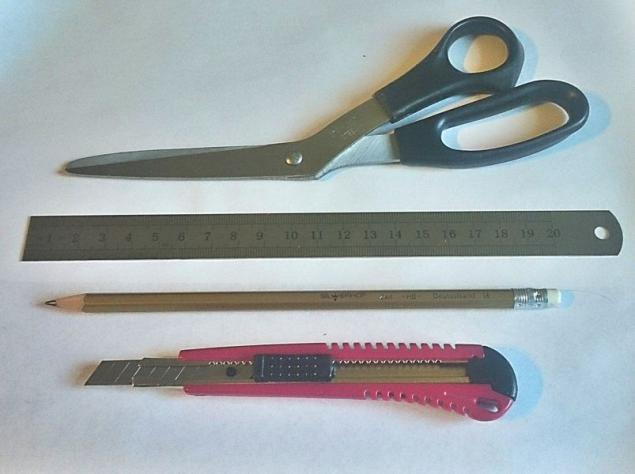
5. A set of tools for drawing and cutting materials - 100 rubles for everything
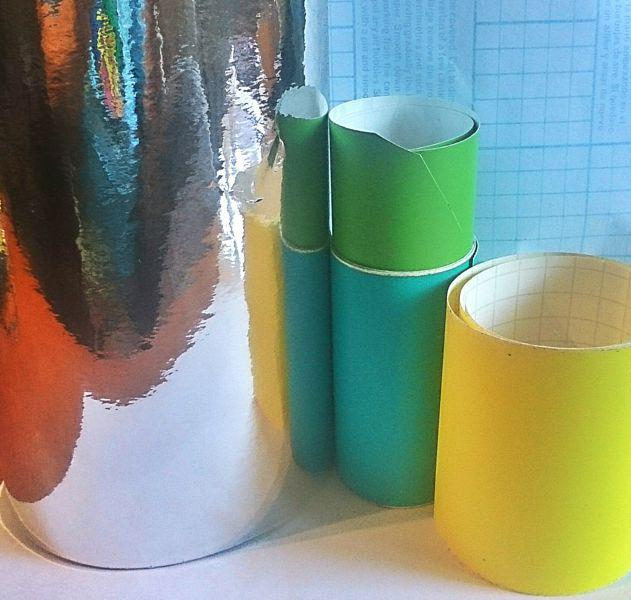
6. Scotch tape, or in my case vinyl film in assortment - 100 rubles for everything
I will say right away, when buying materials, I did not know the required consumption, but according to estimates by eye, the purchased one sheet of foam and polyethylene should have been enough for 3-4 such helmets, and all this was not sold in smaller volumes. It doesn't matter, before you start work, just remember the following useful skill - cut and cut boldly exactly half of the material, do not be afraid to throw it away and try again - the materials cost a penny, and your comfort inside the helmet is priceless, so it is better to redo the part more conveniently than to endure a rubbing surface or squeezing, or vice versa, too free size of the resulting product.
Further, optimizing your activities, I will tell you in advance that even before starting work, you will need to download applications and files to your smartphone, on which you will try and adjust your optical system.
Programs and files for health checks
1. MX Player 1.7.28 — this free player allows you to play the required files with the desired aspect ratio, and the codec for it, depending on the type of processor
2. Any 3D video files recorded side-by-side, it can be movies, shows and anything else, search for SBS HD on the web
3. If you find it difficult to find a movie in SBS format, there are two wonderful players Go Show and SBS-Player – the first one shows the open source cartoon Elephant Dream in free mode, and the second one can play any regular video files so that they will be displayed in SBS mode – that is, you will not see 3D, but you can adjust the focus and lens shifts, And inside the helmet, you will see as if you are watching a normal movie from a very large screen
4. Of course, you can still install any applications from these lists and use them, but I personally did not find this option convenient for configuration, but you should nevertheless try them to know what they are about:
www.divegames.com/games.html
www.refugio3d.net/downloads/
So, you have downloaded and tried the methods described above, and have chosen the most suitable for you personally for quick work. Let's agree that you have a smartphone or tablet with a 6-7" diagonal, two pairs of lenses (you can try with one pair, but my diagram is still two, there may be discrepancies, use it at your discretion), programs are installed and materials with tools are purchased. The first step will be to make the first frame for the first pair of lenses. I made it from foam, and in theory, it would be nice to have a centro drill at hand, even on concrete, which is cut into sockets, but in general, any one will do, such as an extendable wood cutter or even compasses. I didn't have any of this at hand, so I had to cut out the round holes with a Walter White utility knife, which with a lens diameter smaller than mine, it would be completely untidy. So, the first blank is a frame for two lenses, as in the picture below.
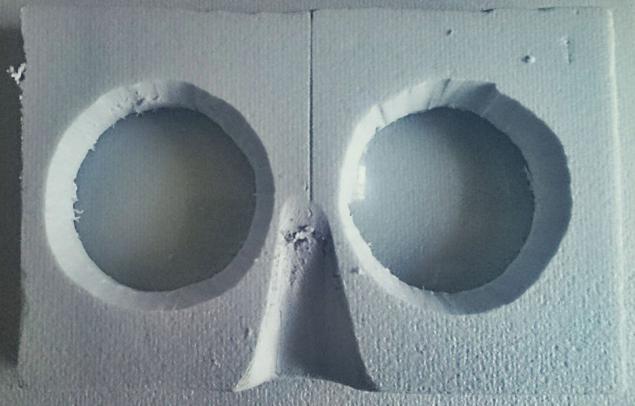
In order to make it, you will need to put the smartphone on the table with the screen up, bend over it, and taking the lenses in your hands, bring them to your eyes, trying to find the focal length. If this effect is not observed, shifted or distorted, do not despair, for a start it will be enough to understand the focal length, or rather, the amount by which you need to remove the lenses from the smartphone. What about the distance between the lenses in this pair? It's simple – find a value that is halfway between the distance between the pupils and the distance between the centers of the halves of the frame (half of the long side of the screen). Let's say we have 65 mm between the eyes, and the screen is 135 mm, its half is 67.5 mm, so you need to place the centers of the lenses by about 66 mm, this is enough for the first approximation.
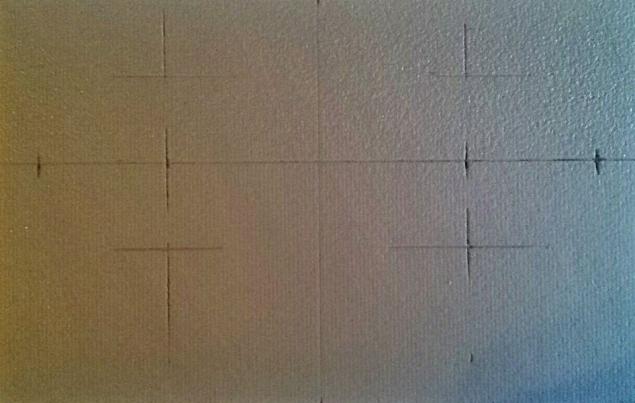
Now, after marking the necessary distances, cut out holes for the lenses. Having roughly estimated the density of the foam, I calculated that it is enough for a strong installation of the lens, if you make a hole for it with a diameter slightly smaller than the lens itself, I reduced the cut circle by 2 mm in diameter, which perfectly coincided with the assumption. Your parameters may be different, but the essence is the same – make the holes a little smaller. You need to sink the lens shallowly, I recessed by 2 mm, below it will be clear why, and probably there is no need to mention that it would be nice to place the lenses in the same plane, that is, you should both sink them evenly.
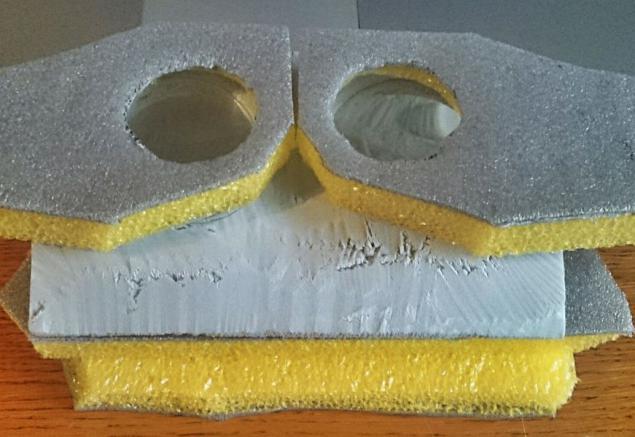
The first stage is over, now we have a layout of the screen-to-lens distance, and we can move on. Remember what I said about two pairs of lenses? They may not be that important in an optical sense (in fact, they are), but they are invaluable for further tuning. Let's say you've installed the first pair of lenses as described above, turned on a 3D image on your smartphone (a game, a movie, of your choice), and you're trying to find three-dimensionality. One pair of lenses did not allow me to do this in a rush. But when I brought the second pair to my eyes, and after playing with distances, I found the right position, a three-dimensional image immediately appeared on the screen. To achieve this, you need to move the lenses relative to the screen at the same time, in a plane parallel to this screen and the first pair of lenses, up and down and to the sides. Find a detail in the image that can be used to trace the parallax effect, focus on it, and try to connect the images in each eye so that they match. With some skill, this is done very quickly, but, unfortunately, I cannot tell you a way to speed up this process. I was helped by this test bench, here the lower pair of lenses is already in foam and set to the screen, and the upper pair, framed in polyethylene, and each lens is separate, I moved in front of my eyes, looking for a "stereo", and under the whole structure there was a screen at the right height:
Sooner or later, you will get a fresh, juicy, fashionable youth 3D, but due to the introduction of a second optical pair into the circuit, the first focus setting will be a little lost. There is no need to be scared, all that is required is to readjust the focus again. To do this, you first need to make a frame for the second pair of lenses that you just adjusted. My advice is to first copy your first frame, correcting for the changed distance between the lenses, and then visually estimate the distance between the first and second pair of lenses, after you have adjusted the three-dimensionality. It will be enough by eye, and this distance should be compared with the thickness of the material - well, literally, whether the distance between the pairs is greater or less than the thickness of the foam. If it is smaller, everything is simple, you will need to install the lenses in the second frame a little deeper, by the required amount, but if this distance is greater than the thickness of the foam, you can simply turn the first frame with the more recessed side towards you, so you do not have to fence a garden of gaskets between the two frames. In my case, this is what happened, I turned the first frame backwards, folded these frames with the more recessed sides to each other, and slightly recessed the lenses inward on each side.
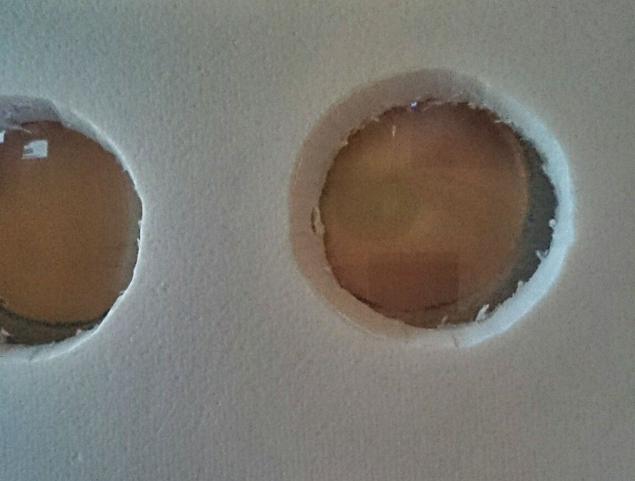
So, we have an optical device that allows you to view 3D on the screen of a smartphone. But, of course, we remember about the focus, which changed first by inserting the second pair of lenses, and then also by flipping the first pair with the other side, so the focus needs to be adjusted again. When you catch the focus by simple movements, you will need to notice this distance, and make foam supports of such a height that when you install your first frame above the screen, the image in the lenses will be focused.
Here I need to say the following, in my opinion, important property, I am not exactly sure of its nature, but I have repeatedly observed it in test subjects. Many actions in life require a repeated approach, the use of the approximation method and iterations. Apparently, not everyone understands this, but this method almost always works, and gives a better result if you follow a simple algorithm – try and improve. So in the case of this helmet - the same story, perhaps the first time you will not be able to make two correct pairs of frames, for example, I, for example, remade one pair three times, and the second - twice, and I already know that I will redo more, because there are ideas for improvements. But with each rework, the quality increased and the picture became better, so if you did a couple of sets, but you "did not succeed" – do not despair, take a break and start again, continue. The result is worth it.
A small hint – if the resulting eyepiece (as I will call a block of two pairs of lenses and their frames assembled together) has a good stereo image, but the focal length has increased a lot relative to the first approximations, disassemble the eyepiece in half into two frames and play with the distances, perhaps you will find a more optimal one – maybe you will need to turn one of the eyepieces backwards, or maybe separate them from each other. Remember that you need to achieve the maximum number of useful pixels (otherwise it will be uninformative) and the minimum distance from the screen (otherwise it will be cumbersome). If you have a wonderful, wonderful focal length, and for some reason the stereo base failed, carefully cut the foam in the middle between the lenses with a knife and see if you need to move them apart, or bring them closer, and then act according to the situation. Roughly speaking, you will have two eyepieces, each eye has its own, adjust them, and when you can, glue them together with double-sided tape.
At this stage, the story with the lenses ends, and now it doesn't matter whether you made the optical scheme according to my version, or based on your own considerations, it will not be so important later, the rest of the story is suitable for any option.
Mock-up assembly of the helmet
Having found the total focal length from the eyepiece to the screen, we have to make a box based on it, and here there are even more options than at the stage of lenses. But, now you have the "heart" in your hands, or rather the "eyes" of the device, and its most complex part, so it will be easier later. Let's say you managed to do all of the above correctly, and you can, by putting the eyepieces to your eyes and bending over your smartphone, confidently observe the 3D image. After playing with this demo layout, you will probably notice some features of the location of the lenses and the convenience of the eyepieces, which you personally find the most in need of optimization. Do not limit yourself too much, optimize and improve something for yourself, for your vision, the shape of your nose and skull, and so on.
For example, after making an eyepiece, I put it to my face and realized that I had applied it to a foam brick. There is exactly zero comfort, and this helmet still has to be worn on your head for some time! Therefore, when making the box, I tried to increase the comfort of carrying at the same time with a reliable and convenient location of the smartphone inside. I had to get rid of the inside of the foam, and replace it with foamed polyethylene, it is yellow in the picture. It is more flexible and allows you to twist the shape in a wide range, so the inner surface of the helmet is made of it. It should fit snugly to the face in the eye area and around the nose, otherwise you will constantly observe fogging of the lenses from breathing, immediately take this point into account. There was an idea to make this part from a construction or swimming mask, but they were not at hand, so I did it myself, however, the option with a ready-made mask may seem more preferable to you, I am happy to recommend it. I myself also decided to make the sides for the helmet adjacent to the head.
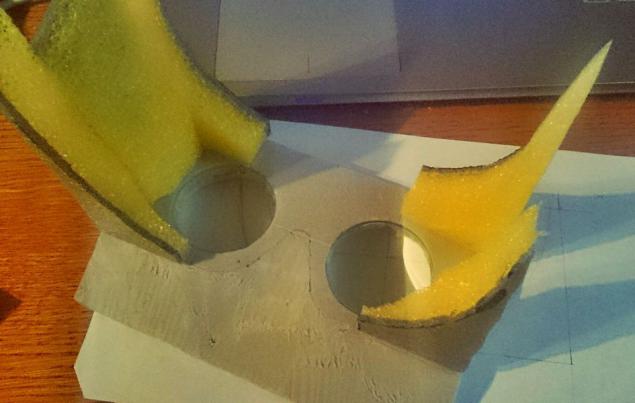
Another point to remember is the weight of the smartphone and the lever on which it will work, exerting pressure on the support. My Xperia Ultra weighs 212 grams, and the required distance at which it is removed from the face is 85 mm, plus the own weight of the box - all this together, I would say, makes the helmet comfortable with reservations. He has one strap at the back, this will be seen in the picture at the end of the section, this strap is made of a rubber band, 40mm wide, which pulls him tightly enough to the back of his head, but if the screen were heavier, or the lever was larger (read the focal length is longer) - it would be much more difficult to wear a helmet. So for owners of devices with a larger diagonal or weight, I advise you to immediately think over the mounting scheme on the head with a second, transverse strap from the bridge of the nose to the back of the head, it is more convenient and safer.
Also, at this stage, you will need to think over another nuance - the output of the sound. I have several pairs of headphones, both closed-back and open-ended, there are earplugs and so on, but after thinking about it, I did not build the helmet around large and comfortable Sony MDRs with large ear pads, but chose simple earplugs. Perhaps it will be critical for you to make a helmet with a cool sound, in this case, you need to immediately imagine how exactly you will articulate the headphones, their arc and the helmet with its mount. I had such a temptation, which quickly evaporated at the stage of prototyping, but I will definitely return to it in the next, improved version of the helmet, if I plan to make it. In any case, you will need a hole in the helmet body that corresponds to the position of the audio output of your smartphone.
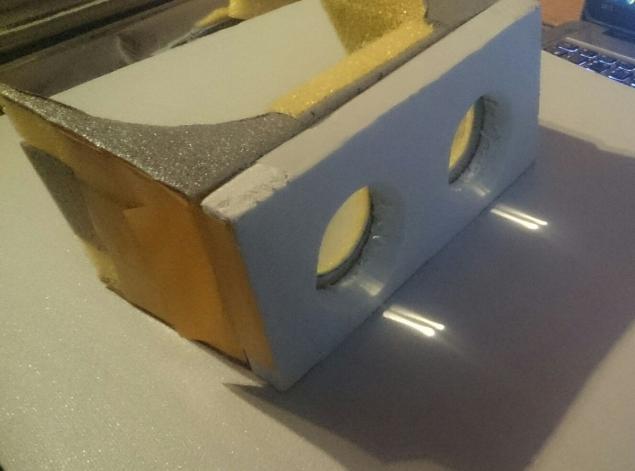
So, I have this device on my desk – an eyepiece with an inner surface slightly adjusted to the shape of the head. It already fits comfortably on the face, fits in width, and for its manufacture I only needed this template, cut out of a piece of foam curved to the shape of the head, it will fit with some edits to both the upper and lower parts of the helmet:
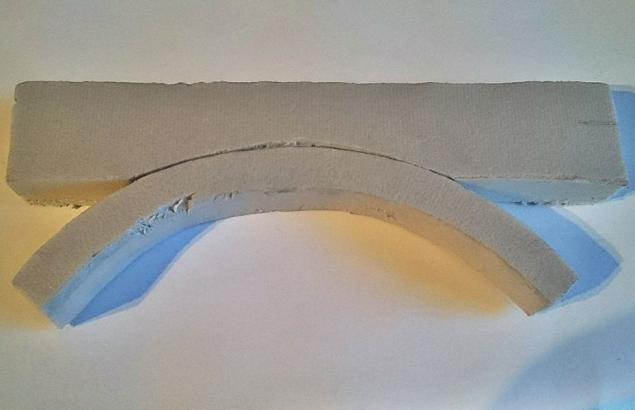
Earlier, we found out the focal length of the eyepiece in a few approaches. Now you need to place the smartphone screen at the desired distance. Remember that the screen should be positioned so that its horizontal axis of symmetry coincides in height with the imaginary line between the pupils, and the fact that it needs to be placed symmetrically relative to the face is already clear to you. In my case, the distance between the screen and the nearest side of the eyepiece was 43 mm, so I made the top and bottom surfaces of foam, as well as two side inserts. It turned out to be a foam box, which, having been put on the screen, could already be used for its intended purpose, and this is where the template shown above was needed.
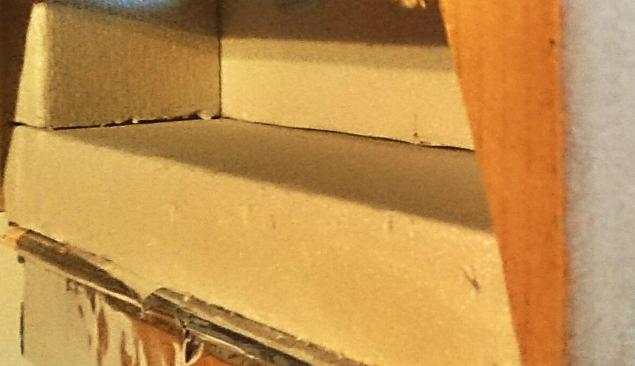
At this stage, there were several small adjustments to the focus and location of the smartphone, after which there was an accurate measurement of the results obtained and the cutting of the external, cardboard case. It serves two purposes – it protects a rather delicate foam from mechanical damage, I quite easily pressed it with my fingers at the stage of initial experiments, I had to monitor this, and the second, and main goal is that it is the cardboard that will hold the screen in the right position, pressing it against the foam.
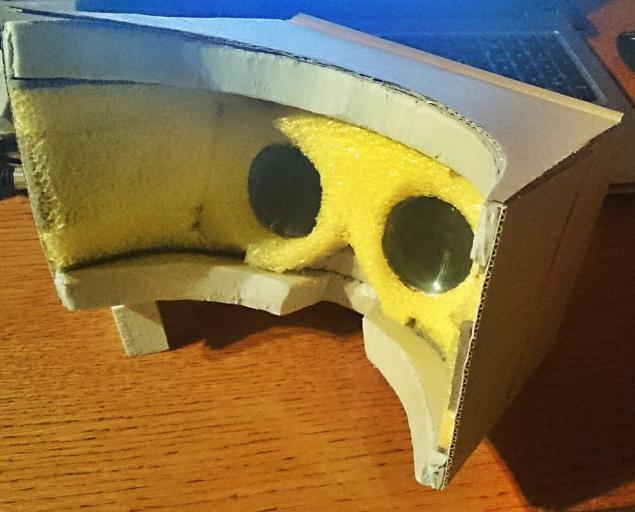
As a result, we got such a box, with a lid on the upper front, under which the smartphone is hidden.
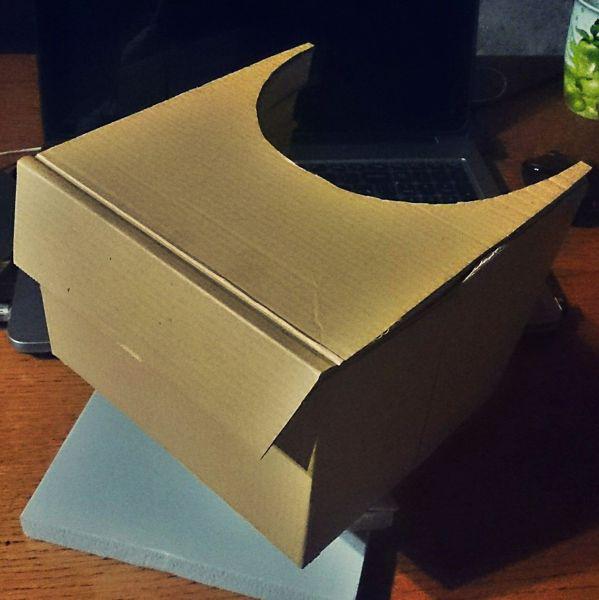
Having tried the helmet on my head, and having seen enough of all kinds of 3D, I corrected minor inconveniences inside the helmet, and made a fastener - an elastic band to the head. It is simply sewn with a ring, and glued with double-sided tape to the cardboard, plus on top it is attached with a silver oracle, which was used to replace the tape. As a result, it turned out something like this:
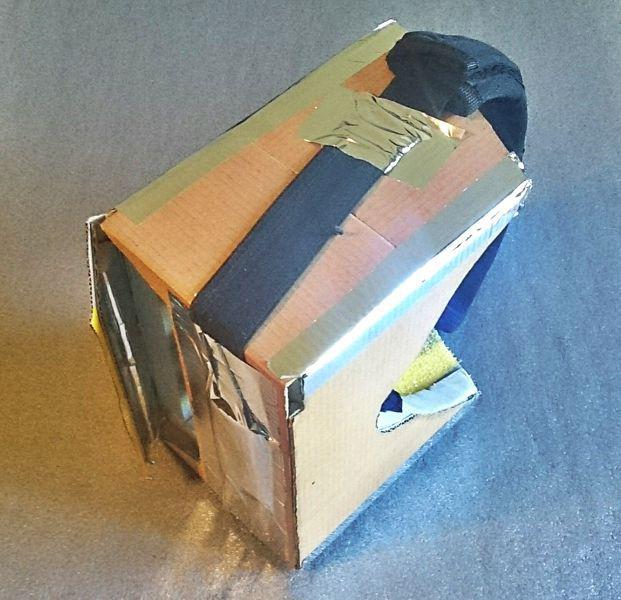
By the way, in this image you can see another technical hole that is used to connect the USB cable that we will need a little later. And this is what the helmet looks like on the head of the test subject who donated the lenses for this helmet:
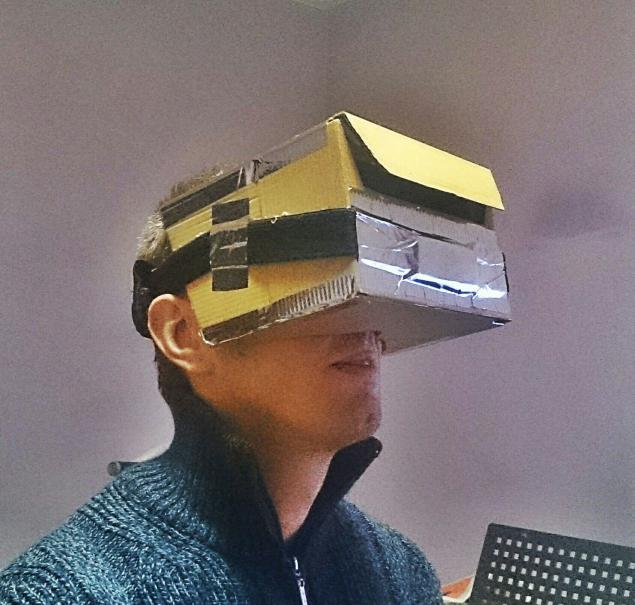
So, what happened in the end.
Dimensions: 184x190x124 mm
Curb weight: 380 grams
USB Input/Output
3.5 mm headphone jack
Usable screen area 142x75 mm
Resolution 1920x1020 pixels
It's time to move on to the programmatic part of our journey.
Available features of a VR headset
Watching 3D Videos
The very first thing that comes to mind is watching movies in 3D. This is a very simple and understandable entry point into virtual reality, although, more strictly, this is rather a threshold not far from it, the previous step. But, in order not to belittle the merits of this type of entertainment, I inform you that watching 3D movies in the resulting helmet is a very interesting and funny activity. I've only watched two movies, so I'm not fed up yet, but the feeling is very good: imagine that you are one and a half meters from the wall that you are looking straight at. Without turning your head, try to look around the area around you - this will be the screen available to you. Yes, there is a small resolution - each eye gets only 960x540 pixels from a fullHD movie, but nevertheless it leaves a quite tangible impression.
To watch movies in this form, you will need a free MX Player player with an installed codec for your processor, I have ARMv7 Neon, and actually a video file. It is easy to find them on all kinds of torrent trackers, the technology is called Side-By-Side or SBS for short, so feel free to search for these keywords. The player has the ability to adjust the aspect ratio of the video being played, which is extremely useful for SBS files that would otherwise stretch vertically to full screen. In my case, I needed to go to the settings - "display" - "aspect" and select "manual" to set the aspect ratio to 18 to 4, otherwise you will get vertically stretched images. I tried to look for other players with similar functionality, but I didn't find it, if you know, add it to your knowledge piggy bank.
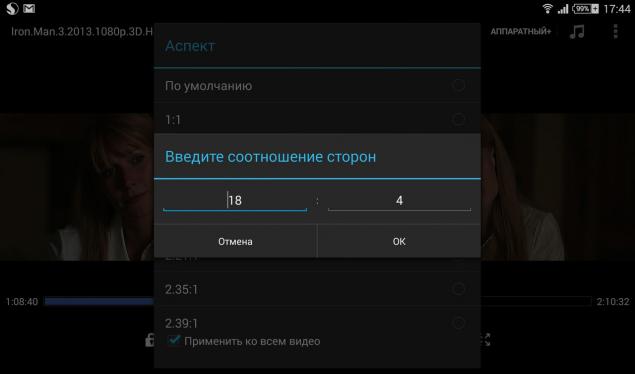
In general, I have nothing more to add to this point – an ordinary 3D cinema in front of your eyes, everything is very similar to going to the cinema, or watching on a 3D TV with polarized glasses, for example, but at the same time there are differences, in general, if you like 3D – you should try a VR helmet.
Android apps for Durovis Dive and similar systems
This whole story generally began from this point. Basically, the following three links show almost all possible programs for Android at the moment:
www.divegames.com/games.html
www.refugio3d.net/downloads/
play.google.com/store/apps/details?id=com.google.samples.apps.cardboarddemo
What do we need for a comfortable VR experience? Obviously, a joystick, or any other controller, for example, a wireless keyboard. In my case with a Sony smartphone, the natural and logical choice is the native and natively supported PS3 controller, but since I didn't have this at hand, but turned out to be the good old Genius MaxFire G-12U, I attached a microUSB to USB adapter to it, hooked it up to the smartphone, and was not even surprised that it immediately began to work without questions as in the device interface, and individual programs.
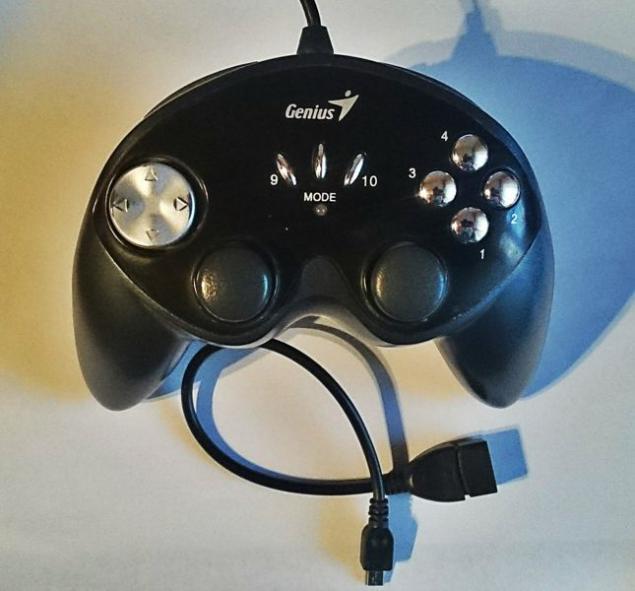
Headphones will also be required, because immersion in virtual realities without sound will be incomplete. I have ordinary earplugs, and you can figure out for yourself which is more convenient.
What should I expect and what should I not expect from the applications presented in this section? The fact is that all applications in general that are written for Android on the topic of virtual reality are very scarce, to put it mildly. If you run them without a helmet, and try, well, to see what kind of virtuality it is, then there is a possibility that you will not want to buy or make a helmet. They are frankly very raw and miserable, and do not represent anything super-interesting.
But. When you put your head in the helmet, everything becomes completely different, and personally, I, who am skeptical about everything, would never believe it, nevertheless it is so.
The main thing to consider is head movement tracking. Even with its poor implementation, or slowing down, this is a completely new and unexplored field for sensations, believe me, before the appearance of the helmet, you have not felt anything like this for a very long time, since the time of adventures with rock climbers in the mountains, walks on the bottom of the oceans, overnight stays in the forest and other mass murders that we all love so much. The helmet provides a completely unreal sense of reality, I apologize for the pun, and any, even the poorest graphics will seem like candy inside it, in general, I have to say - if you like to play games, or feel new - the helmet is the device for you.
From your own experience: imagine that you are in 1998, and, say, a Polish computer game production studio made a demo in which you landed on the moon, got out of the module, saw the iconic American flag that looked like a piece of cardboard nailed to a stick, stuck in the ground, and above the flag in the sky there was an inscription in an extremely poor font "collect the tools, there are 3 left". At the same time, the graphics are made up of very, extremely simple elements, where the monotonously copied starry sky and the squarely repeating ground under your feet occupy 98% of the usable area of the screen, and somewhere you can see a couple of pixels of the "tools" that you have to find. In fact, no. You can already see them, you just need to walk to them for 10 minutes. Just go. On the moon. No sound. By duplicate sprites. Without action at all.
Tell me, how many seconds would it take you to delete this game from your computer or even your smartphone? Exactly. And in a helmet, this miracle allows you to experience (!) the devastation and loneliness of the only person on the planet. No kidding. After 15 minutes of playing, I found myself desperately afraid that I was alone on the moon, under the hood of stars, and I didn't know what to do.
It's more or less the same story with all the other games and apps. They are wretched, they are creepy to the point of horror, but at the same time inside the helmet - they send you 15-20 years ago, and some even earlier, to the very games that they played, and not spent time on. So far, I have only one question for the developers - why is there not a single game with a full-fledged plot for this situation? A single game would have saved the situation just incredibly, because now, showing people virtual reality on Android, there is not much to show, everything with the reservations "this is a demo, you can't shoot here", yes, "that's it, the whole game is completed, yes, in 4 minutes". By the way, almost all of these applications are written in Unity, the more surprising is their low level, or I don't know how to search.
But don't listen to me anyway, try it yourself, and tell me your version, I'm interested. And season it with references, I will immensely. For example, I even installed a demo with the frantic name Toilet Simulator. Because.
A small easter eggIn fact, on the website of Durovis Dive there is a link to quake-2, a demo version of the game, installed on Android and having the ability to SBS display mode, at the bottom of this page there are detailed instructions on how to do this. The only thing that did not work in automatic mode is that a separate archive was not unpacked, so there will be links to mirrors in the settings of the running game, you need to retype one of them into the browser on the desktop, download a self-extracting archive, pull out the pak0.pak file from there and put it in the directory of the game installed in the phone, I have it called baseq2.
After that, the same Q2 started for me without any problems - it works very quickly, and everything is perfectly visible. It became scary literally after 30 seconds, just a chill down the spine, but I will not describe further, try it yourself. Unfortunately, it was not possible to take a screenshot, and the joystick works so far only in the "wander" mode, it does not know how to shoot, you will have to pick at the settings.
Thus, all this sluggishness of android developers (attention android developers!) led me to the idea - well, there are no games for android - let's try a desktop computer, remembering the main advantages of a virtual helmet - a huge screen with immersion in the image and head position tracking, and try not to lose them.
Connect to your computer as a VR device
To be honest, the idea of such a connection appeared immediately, but there was not a single idea of how, what and in what order to do. Therefore, while I was drawing, cutting and gluing the parts, along the way I was thinking about where to get information on how to display the image from the computer's video card, at the same time transmitting the head tracking, that is, the gyroscope and accelerometer data to the computer. And all this, preferably with minimal delay.
And you know, a solution has been found. It consists of three stages, each of which we will consider separately, and first I will describe the working options, and then run through those that turned out to be inoperable in my case, but may be useful to you.
Create 3D output on the computer.
It turned out to be relatively easy, but without knowing right away, you can get lost. So, the ideal computer that allows you to play full-fledged 3D games in stereo output has a video card based on ordinary NVidia or ATI chips, the more modern the better, and, what is very important, the drivers have the ability to adjust arbitrary resolution. If you have a laptop (in my case) or a video card whose drivers do not support arbitrary resolutions, the image in the helmet will be elongated vertically, and a possible solution, unsafe and rather tedious, is to dig into the registry and write permissions there. Your options, again, are warmly welcomed!
In general, you will need to install a version of the drivers for the video card that supports arbitrary resolutions. If your smartphone and your monitor have 1920x1080 pixels on the screen, then everything is very simple - in the settings of the video card, you need to create an arbitrary resolution of 1920x540, and then apply it to the monitor. You will see how the working area of the screen has become smaller and is located in the middle of the screen. If the picture on your screen looks something like this, then you've done everything right:
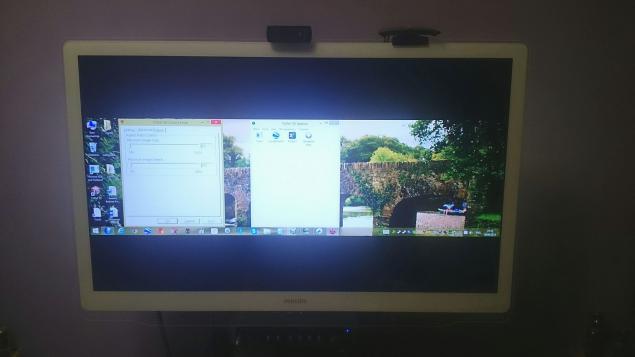
So, everything was tested on a regular but powerful desktop computer with an NVidia graphics card and the latest version of the drivers. It is important that the conditions are met: when you start the game in stereo mode, the image on each half of the frame is not extended.
The second thing you need is to download a 3D driver – which has a full trial version for a period of two weeks, and allows you to display three-dimensional images on peripheral devices in arbitrary configurations, and side-by-side, and top-bottom, and anaglyph, in general, whatever you want.
Install in the usual way, run the TriDef 3D Display Setup utility and select the Side-by-side option, now when you run games from this driver, they will be in stereo mode "half a frame for each eye". If you have games installed, you can open the TriDef 3D Ignition utility and search for installed games, a shortcut to your game will appear in the window - voila, you are ready to use.
I didn't have any games installed, so I installed Steam and bought Portal 2 on sale for 99 rubles, yes, this is advertising. And here comes the point that you need to be aware of - the driver serving stereo output can output stereo for any game that has the ability to run in fullscreen, but cannot create output for a window whose area is smaller than the size of the desktop. Remember this moment, below it will become critical, like a red rag on a bull.
In general, if the drivers are installed and configured, the game is purchased and launched, and it all looks something like this on the screen:
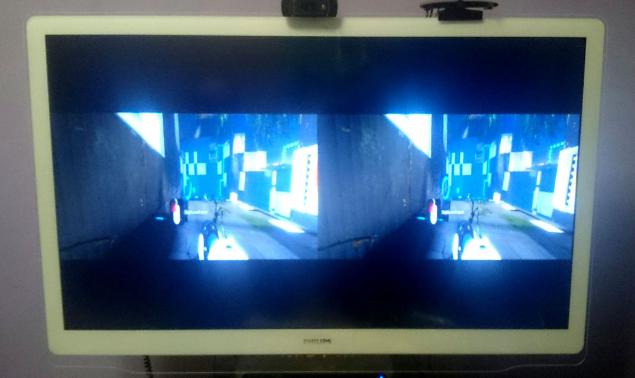
You can move on to the next stage.
Transferring an image from a computer to a smartphone screen
There are several ways to do this, and judging by the numerous icons in the market, there are quite a few programs that allow you to convey what you need. I was "lucky", before I found a convenient and workable application, I tried several other, depressing and frustrating crafts from Google Play, and I am sorry that any dross is allowed there. I spent more time searching and configuring applications than I did making the device. Moreover, I had to buy one of the applications, and everything would be fine with it if everything was not good. But first things first: you will definitely need a local wi-fi connection between your computer and your smartphone.
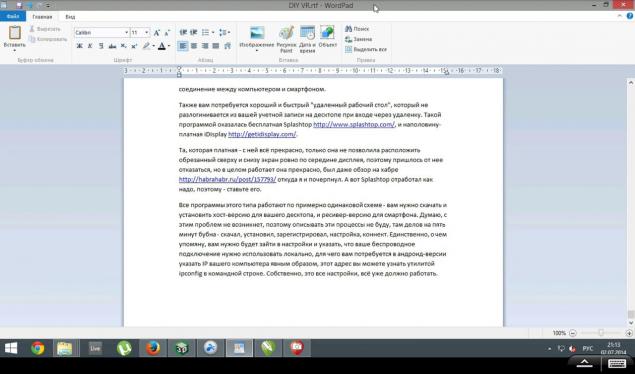
You will also need a good and fast "remote desktop" that does not log out of your desktop account when logging in remotely. Such a program turned out to be the free Splashtop, and a half-paid iDisplay was also found.
The one that is paid - everything is fine with it, only it did not allow you to place the screen cut at the top and bottom exactly in the middle of the display, so I had to abandon it, but in general it works well, there was even a review on the habr, from where I got it. But Splashtop worked as it should, so install it.
All programs of this type work according to approximately the same scheme - you need to download and install the host version for your desktop, and the receiver version for your smartphone. I think there will be no problems with this, so I will not describe these processes, there are things to do for five minutes of tambourine - downloaded, installed, registered, setup, connect. The only thing I will mention is that you will need to go to the settings and specify that your wireless connection should be used locally, for which you will need to specify the IP of your computer explicitly in the android version, you can find this address with the ipconfig utility in the command line. Actually, these are all the settings, everything should already work, here, for example, is a screenshot from a smartphone of the current moment:
If you run the game from under the 3D Ignition utility, it will appear on your smartphone screen at the same time as it does on your monitor. Or not. Follow the sleight of hand: the driver that gives the stereo image from the game requires a full-screen (if you select the "window" mode, the stereo will not work, the game will be launched normally), and the desktop access program from your smartphone shouts "I can't run a fulscreen, sorry, yes, completely", and can only show the desktop and windows on it.
Therefore, the most delicate point. Most likely, you will be able to play any games that run in the "windowless window" mode. I don't know for sure why and where this mode exists in games, for this reason, or for some other reason — but it turned out to be a salvation: on the one hand, it deceives the desktop, and tells it that it launched the game on full screen, and on the other hand, formally gives the smartphone just a window, albeit without frames and expanded to full screen. The very case when both the wolves are fed and the sheep are safe.
So I was lucky, portal-2, which I downloaded from Steam, turned out to be exactly the game that supports all three launch modes. So it's up to you to check which games will run this way and which won't.
Right now you can start the game and race in it in a helmet. But, as they say, the picture would be incomplete if there was no head movement tracking.
Enabling Head Movement Tracking
You have read this far, and I congratulate you on this. I do not want to deceive you, this point is the most difficult and poorly studied, nevertheless, do not despair. So.
The first thought was to "disassemble" the Oculus Rift SDK or the Durovis Dive SDK, since the source code is in the public domain. Perhaps I should have done so, but I'm not a programmer, and I don't understand anything about it. Therefore, my gaze was turned to ready-made solutions that transmit the position of the smartphone in space to the desktop. As it turns out, there are just a huge number of programs that supposedly can do this. Judging by the descriptions, almost everyone is like that. And again, I went through dozens of programs with sweet promises, but in fact it was even more scary, disgusting and wretched than going through programs to display an image on the screen of a smartphone, and what's more, even more wretched than those demo games for durovis dives that I described above. If at this stage you catch a wave of frustration, then that's it, "goodbye helmet". Nevertheless, the necessary (with reservations) program was found. But first, a fly in the ointment — Monect, UControl, Ultimate Mouse, Ultimate Gamepad, Sensor Mouse — none of that worked. Especially the first one on this list - the description says that Monect Portable provides a
FPS mode — Using gyroscope to aim the target just like a real gun in your hand, perfect support COD serial!As a result, I bought it for a fabulous 60 rubles, and it turned out to be untrue. Such a mode simply does not exist in the application! I was angry.
But, let's move on to successful options. You will again need to download the host and client version of the program called DroidPad. It was she, when setting up one of the modes, that made it possible to do the necessary and transmit the parameters of the sensors in real time via wireless access. The algorithm is as follows: install the program on the desktop and in the smartphone, run it on the smartphone, select the "Mouse - Mouse using device tilting" mode, and then launch its desktop version.
If everything is done in this sequence, the connection should work, and voila – you control the mouse cursor on the computer screen! It's messy and chaotic so far, but wait, we'll set it up now. In my case, in the Android version of the application, the screenshot of the settings window looks like this:
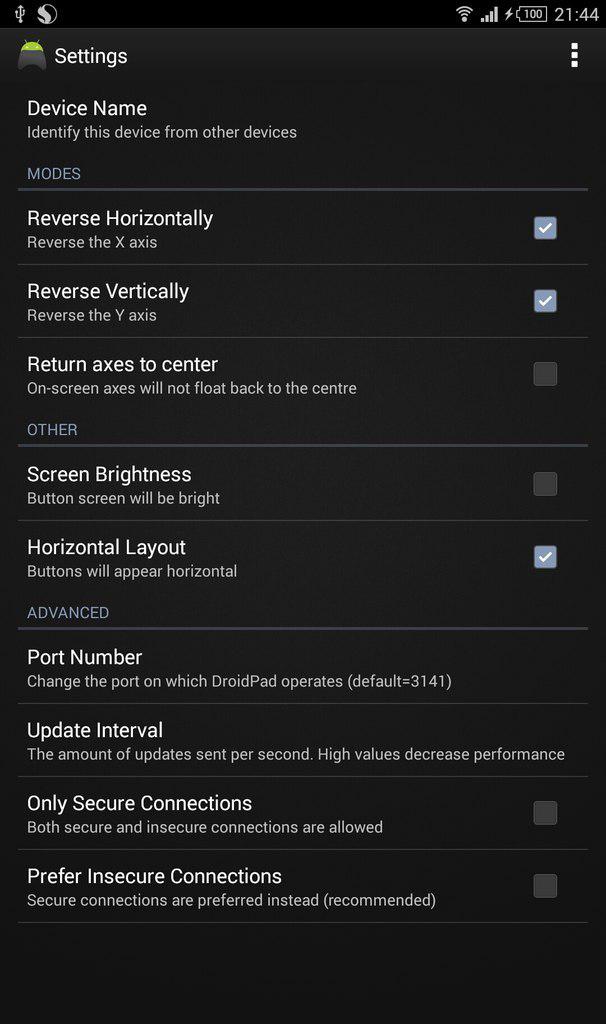
You can specify the name of the device, but it is better not to touch the port - it works by default, and it is better not to touch the working one yet. In the desktop version, everything is a little more complicated, I have these settings, but they still need to be optimized, so use them only as a guide, no more:
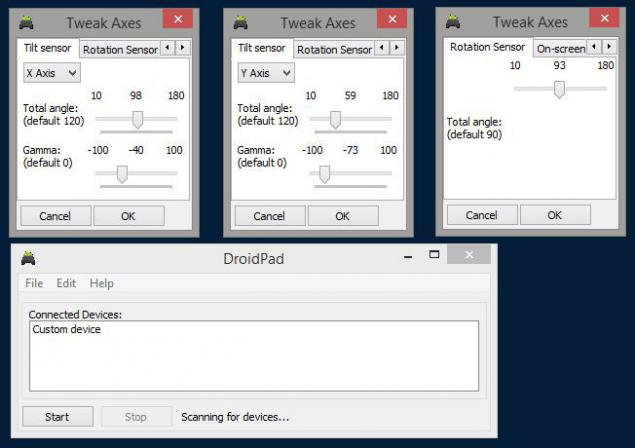
Here are the settings of the X and Y axes on the computer screen, and the strength of the sensor from the phone. How exactly this all works for me is still a black box, because the developers of the application do not provide any documentation, so I provide information "as is". I completely forgot to add that I have a program installed on my smartphone that controls the launch of applications in landscape or portrait orientation, and all the applications that were tested for this idea = tested in album mode. The app is called Rotation Manager, and the smartphone has auto-orientation globally disabled.
Having configured your applications accordingly, you will have to connect your smartphone to your computer according to the algorithm described earlier (for me, any discrepancy from the specified order leads to the termination of the application), and, holding the smartphone in your hand as it will be located inside the helmet, try to adjust the settings - alternately adjusting the desktop sliders and clicking on the "Calibrate" button in the Android version window. I'll tell you right away – after quite a short attempt, I managed to adjust the angles and rotations relatively decently, but then, adjusting more accurately, I knocked down those settings without thinking to take a picture of them, and those that are now in the screenshot are only an approximation to the previous ones, which still felt better. Another point is that all these sliders are very sensitive, and it is inconvenient to hold the smartphone in one position in your hand so that it does not remove the cursor arbitrarily, so you constantly have to break the connection and configure, then connect and check. After a while, the information in the article on this subject will be updated, but also with the current settings - inside the game world it looks very impressive.
So, what do you feel? At the moment, due to lack of time, I have installed the games Portal 2 and the free robot shooter HAWKEN, offered by Steam. As for the portal, you are quickly enslaved by the surrounding atmosphere and sound, and this immersion is so strong that there is nothing to compare with, except for gatherings in front of the computer 10 years ago at four in the morning, everything is about as acutely perceived. But if there it was fatigue and darkness around, then in a helmet it is a slightly different, more vivid effect of the same presence. But the second game, where you sit in the canonical "huge humanoid robot", surprised me. With a helmet on your head, the reality projected as if on the surface of the helmet in the game becomes closer, warmer and more lamp-like, and very quickly. Surprisingly fast.
Do not assume that the sensations caused by the VR helmet will be the same for everyone, but for all the "guinea pigs" I can confidently say that absolutely everyone appreciated this device, the reviews are extremely positive and interested. Therefore, I boldly recommend it to you, spend one day making this helmet, and evaluate it yourself. My personal goal was just like that – to quickly satisfy my curiosity, without spending money and time on waiting, I spent about three days of searching and setting up for everything, and now I am passing the baton to you, already in a condensed form.
Personally, I decided that most likely I will make a second version of this helmet, with minor improvements and improvements, and subsequently purchase a fresh consumer version of the Oculus Rift. It turned out to be very interesting and informative.
I am really looking forward to new applications for Android, and partly this article is written with the hope that one of the developers will be interested and give some interest to the public. And, a small wish – if you know of any programs and solutions that I have not mentioned, but which would expand the quality of the article and improve the performance of the device – write about them in the comments, and I will definitely add valuable information to the article, for future generations.
TL; TL;DR: The article describes a quick and high-quality way to make a virtual reality helmet based on an HD smartphone or tablet with an Android on board, full step-by-step instructions and general principles of this process, and also describes the main available ways to use the resulting helmet: watching movies in 3D format, games and applications for Android, and connecting the helmet to a computer to immerse yourself in the reality of desktop 3D games.
Source: habrahabr.ru/post/228501/