4689
Pipo W1 - Windows 8 tablet with a processor with Intel Bay Trail
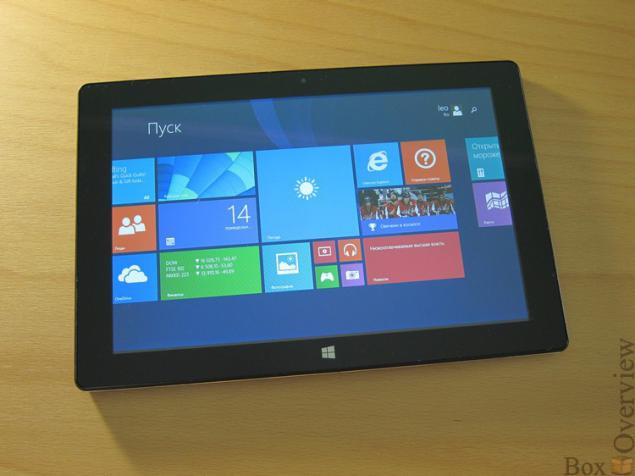
Platform Intel Bay Trail is gaining popularity in China - the market massively plates appear on this chip from almost all more or less well-known manufacturers. If the tablet from Lenovo can be attributed to a single class, the different pieces of the Cube, Ramos, Colorfly, Hyundai, Pipo are very close to each other.
In this review, we consider Pipo W1 tablet running Windows 8.1, complete with a carrying case that comes immediately keyboard.
► Specifications
Display:
Chip:
Operating System:
Memory:
Permanent memory:
Camera:
Optional:
Battery:
Size
Weight
The tablet can be carried to class budget - the screen resolution is only 1280x800. Pixels are distinguishable, but it does not cause much discomfort. Chip Intel Bay trail Z4740D clocked at up to 1.83GGts. You can highlight the presence of whole 64GB of internal memory, which for Windows is very timely.
The market is now a lot of tablets with Windows 8, which I have tried to gather in a small summary table:
Pipo W1 Cube iWork ViewSonic ViewPad10i Vido W10 Livefan F3C Ramos i10 Pro CPU Intel Bay trail-T Z3740D Intel Bay trail-T Z3740D Intel BayTrail-M N2910 Intel Z3770 2.4GHz Intel Baytrail-T Z3740D Intel Bay trail-T Z3740D OS Windows 8.1 Windows 8.1 Android 4.2, support for Windows 8.1 Windows 8.1 Windows 8.1 Android 4.2, Windows 8.1, Dual Boot RAM 2GB 2GB 2GB 2GB 2GB 2GB < ROM 64GB 32GB 64GB 32GB 32GB 32GB Price ~ $ 419 ~ $ 415 ~ $ 515 ~ $ 570 ~ $ 315 ~ $ 500
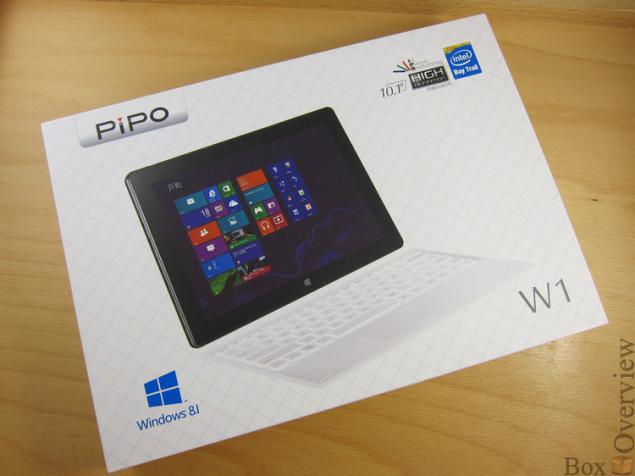
Pipo W1 tablet comes in a pretty big box:
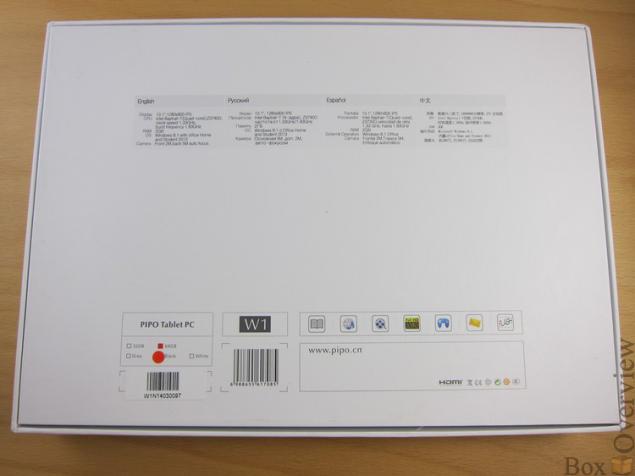
Behind brief specifications listed in several languages, including Russian:
On the ground level there is a tablet, and under it - Case Keyboard.
Accessories come in a separate box:
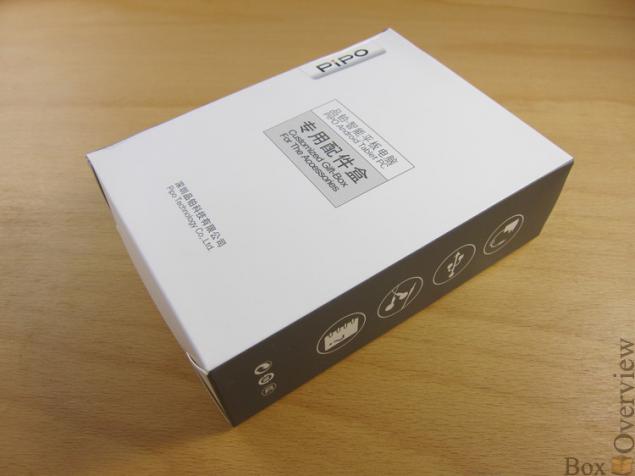
Inside are unit charger and OTG-cable and instruction in Chinese:
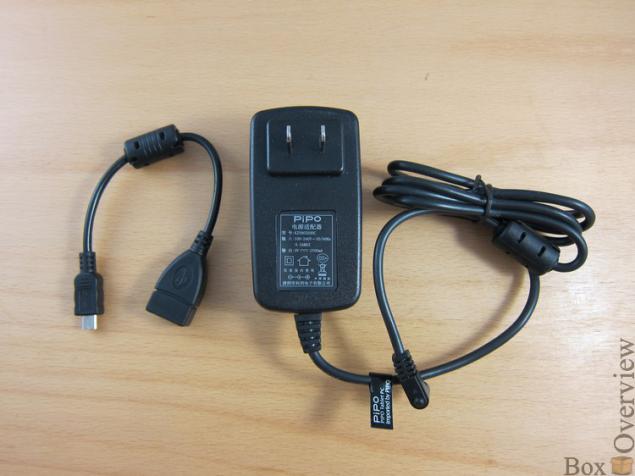
Where is the USB-cable to connect to PC - is unclear.
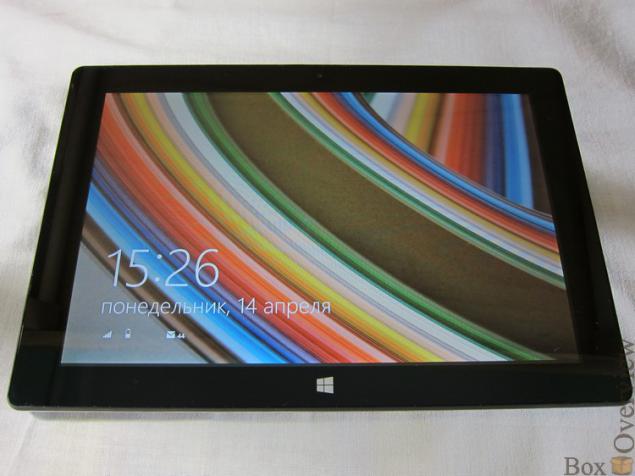
Front plate does not stand out particularly: top is 2MP front camera, bottom - touch button "Home". Rather broad framework that allows to hold the tablet well as horizontally and vertically.
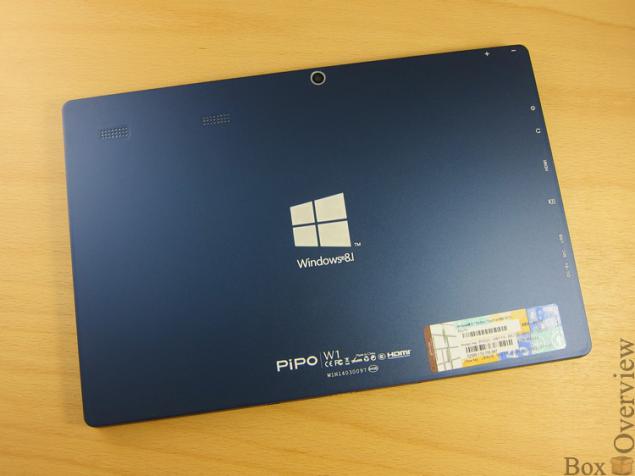
Back of the tablet is completely made of metal:
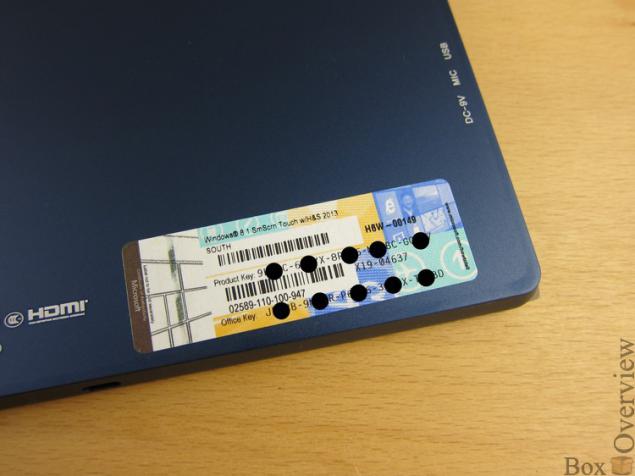
In the lower right corner there is a sticker with a license of Windows and Office:
Pipo and Windows logo are centered:
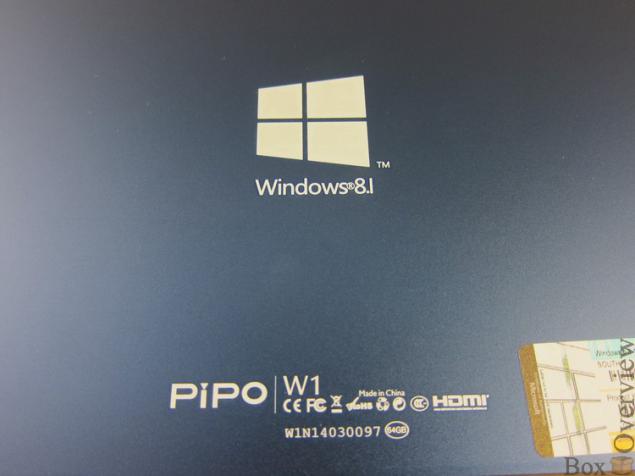
2 small speakers are located in the left side of the rear panel:
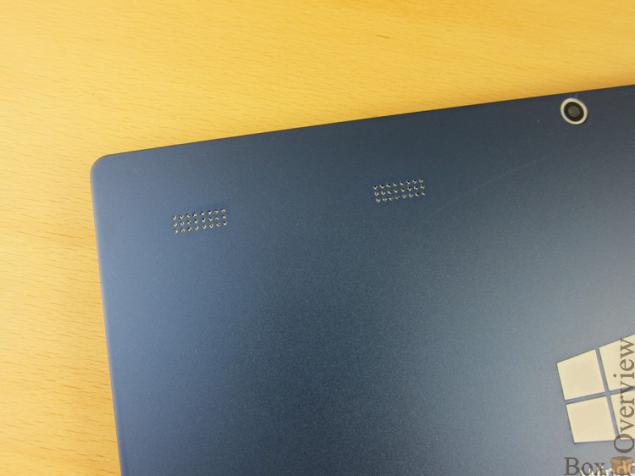
The sound is quite loud while holding a tablet speakers do not close your palms.
Rear 5MP camera with a resolution:
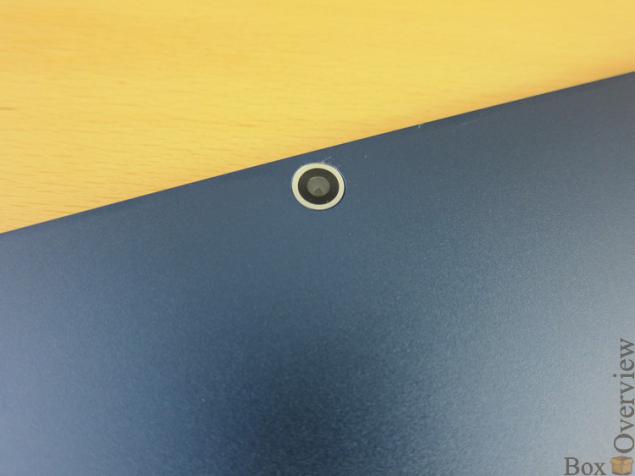
The volume rocker is on the left side:
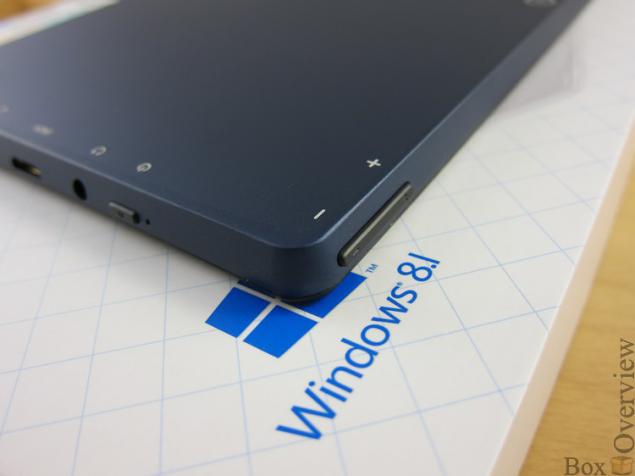
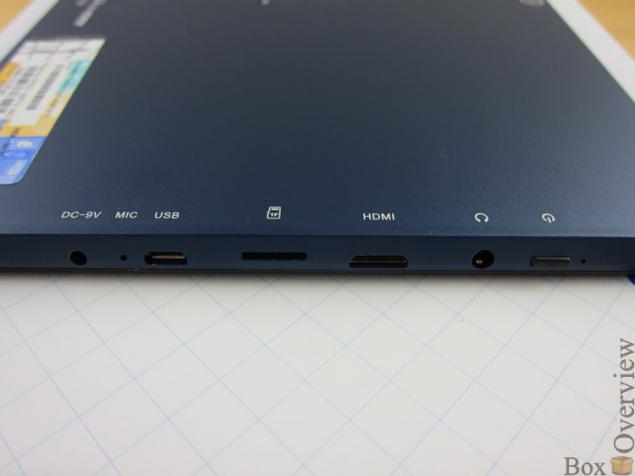
All ports are concentrated on the left:
-Log charger
-Microphone
-microUSB
-slot memory cards microSD
-miniHDMI
-Log headphone
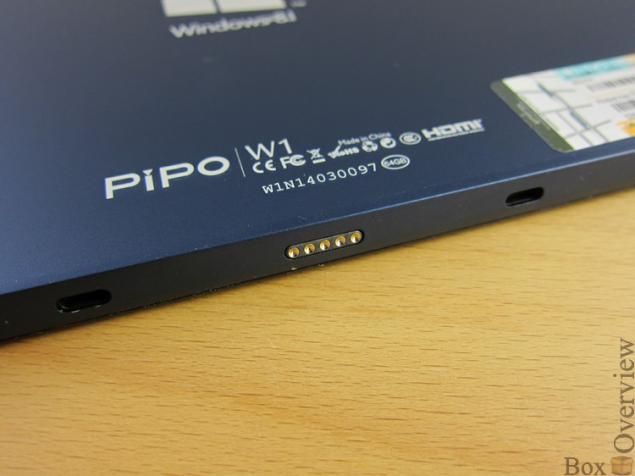
Bottom plate is pad for keyboard:
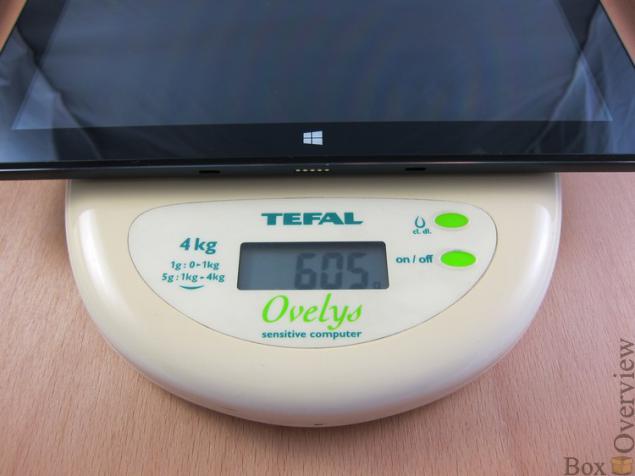
Tablet itself weighs about 600 grams:
Build quality is at a decent level, the location of the controls and ports expansion does not cause problems.
►Klaviatura
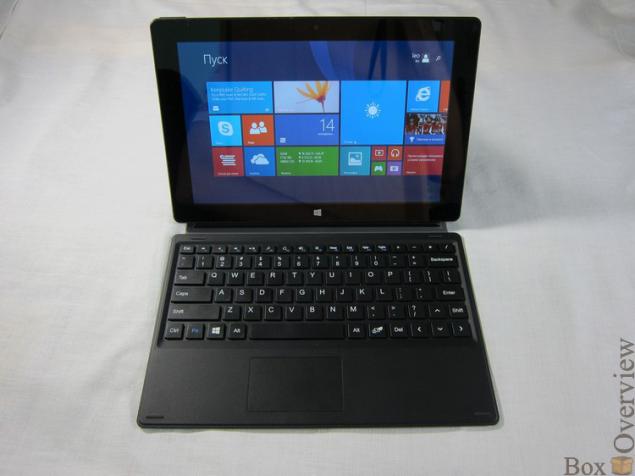
Together with the tablet the kit includes a keyboard cover.
The upper part of the cover-keyboard is made of PU-leather:
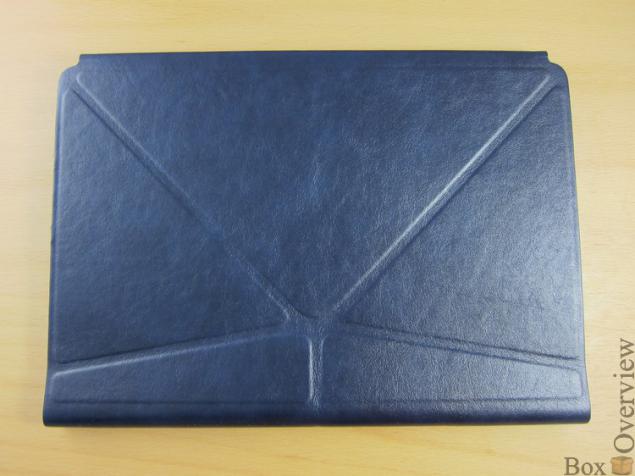
The base of a metal plate
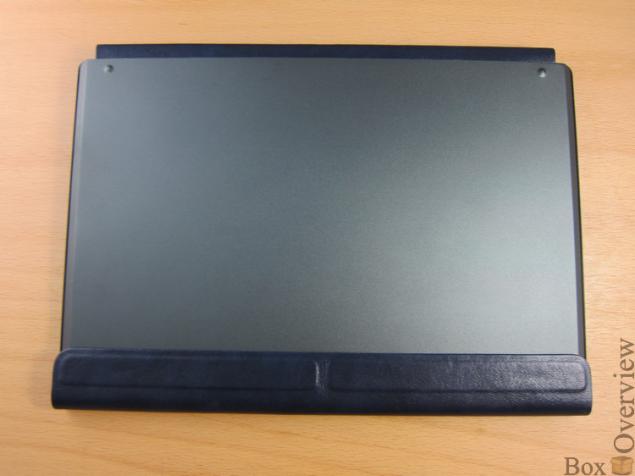
Qwerty-keyboard without additional number pad:
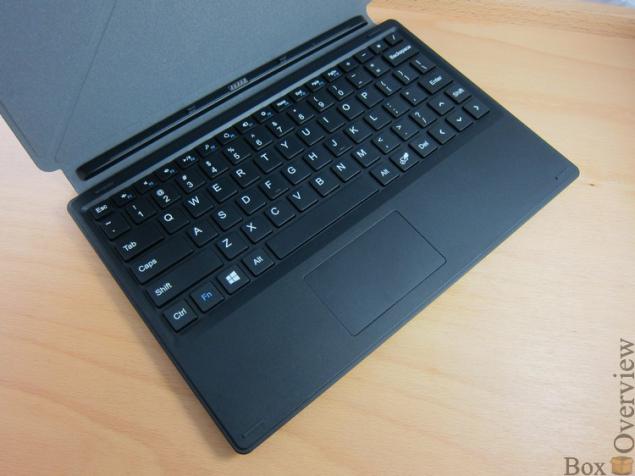
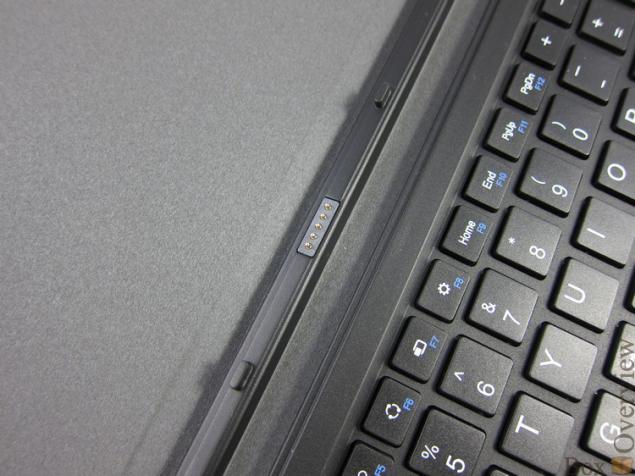
Fixed plate in cover with magnets, which are located at the edges of the contact strip.
In the center is the contact pad to connect the tablet and 2 small ledge for more reliable fixation:
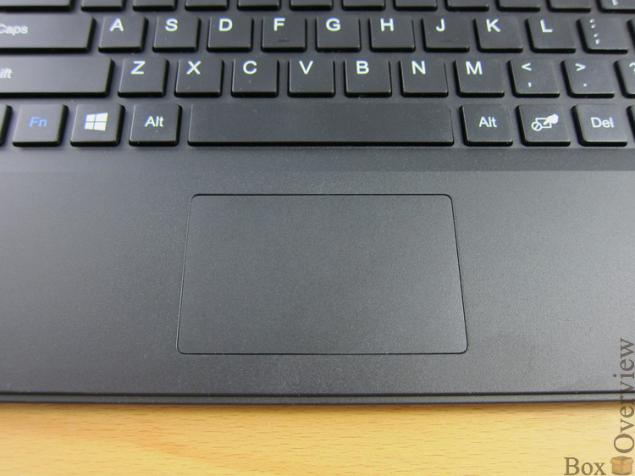
Small touchpad at the usual place:
At all corners of the keyboard are small rubber protrusions that prevent contact with the screen of the tablet buttons on the keyboard when the cover is in the closed sostyanii:
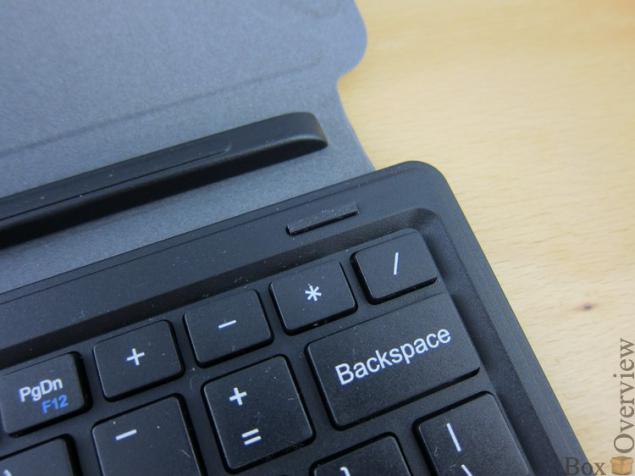
The cover can be converted into a stand holding structure with the help of 2 magnetic strips on the edge of the top of the cover:
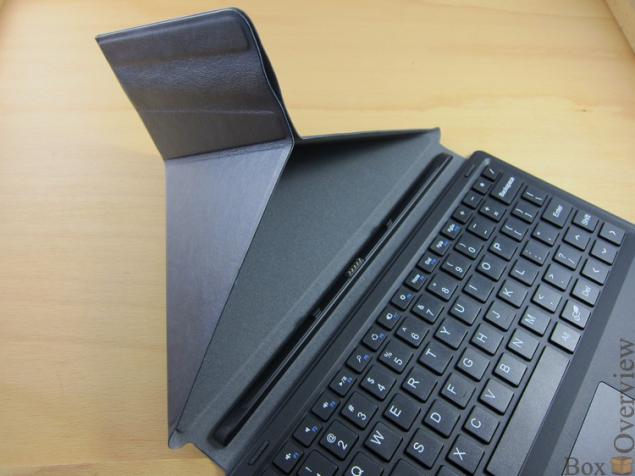
The magnets in the cover are strong, tablet securely fastened in a case and the likelihood of unexpected disconnection is extremely small.
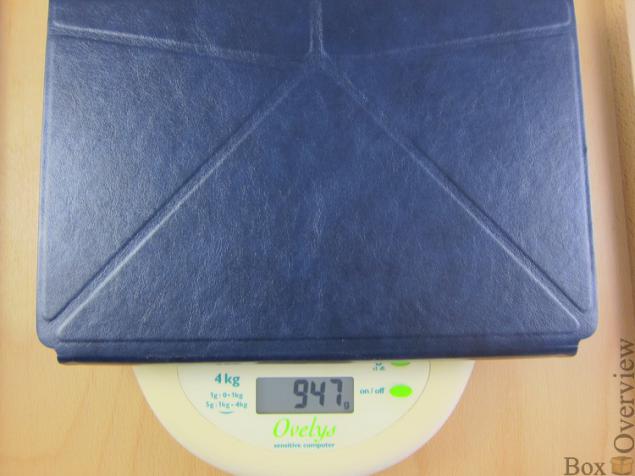
Along with cover plate weighs about 950 grams:
►Ekran
In the tablet mounted 10.1-inch IPS display with a resolution of 1280x800 pixels. Pixels are distinguishable:
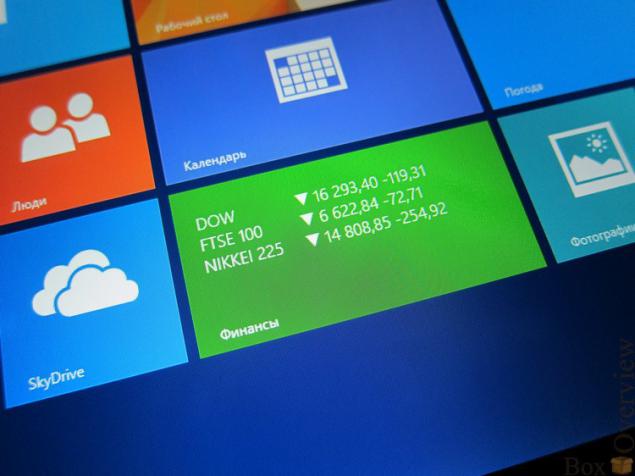
Maximum brightness is good, uniform backlight.
►Proizvoditelnost and runtime
In Pipo W1 chip set Intel Bay trail-T Z3740D with the frequency of work to 1.83GGts
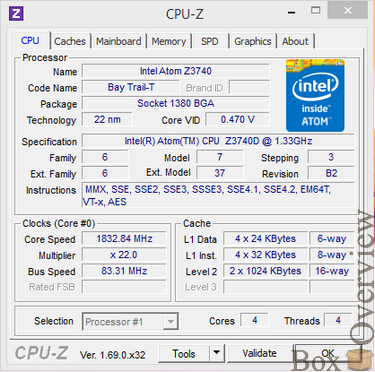
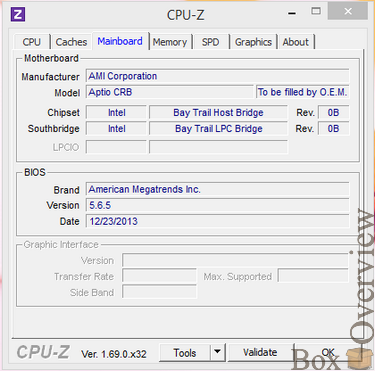
Amount of RAM is 2GB, constant - 64GB.
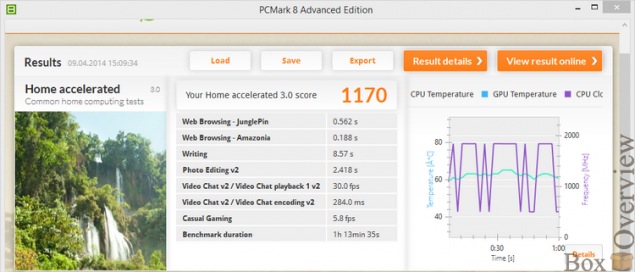
Performance and operation time was tested in the benchmark PCMark 8.
Utility PCMark 8 offers several scenarios for assessing the performance and battery life:
- Home Creative Work
Test Home
Work on the Internet (Web Browsing)
Working with a text editor (Writing)
Casual game (Casual Gaming)
Image Editing (Photo Editing)
Video Chat (Video Chat)
Results Pipo W1 Home scenario using the technology OpenCL 1.1:
Test Creative
Work on the Internet (Web Browsing)
Image Editing (Photo Editing)
Batch editing images (Batch Photo Editing)
Video Editing (Video Editing)
Convert audio and video files (Media To Go)
Mainstream Games (Mainstream Gaming)
Group Video Chat (Video Group Chat)
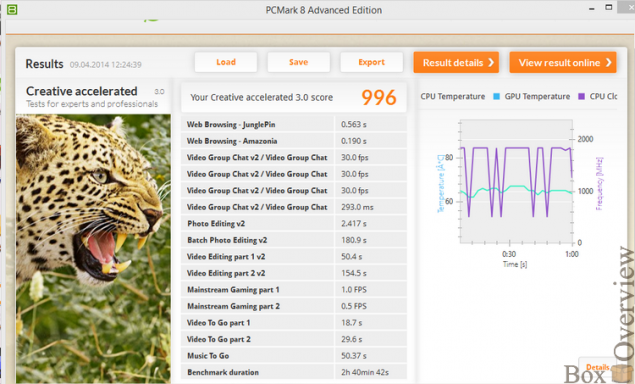
Results Pipo W1 scenario Creative technology with OpenCL 1.1:
Test Work
In the test, the following tasks Work:
Work on the Internet (Web Browsing)
Working with a text editor (Writing)
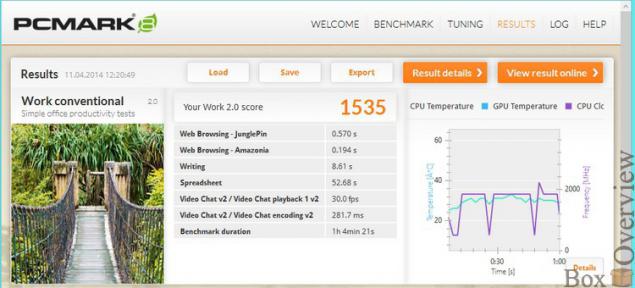
Results Pipo W1 scenario Work:
The battery life was conducted in all scenarios enabled OpenCL 1.1
Hours Home 3:00 56 minutes Creative 3:00 51 minutes Work 4 hours, 33 minutes
►Vnutrennosti
must expose yourself tablet I did not dare, but here found detailed pictures. Here are a few of them.
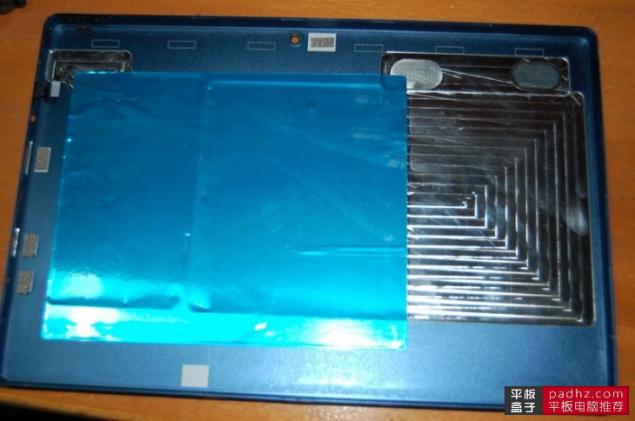
Rear panel:
2 batteries installed on each 3950mAch:
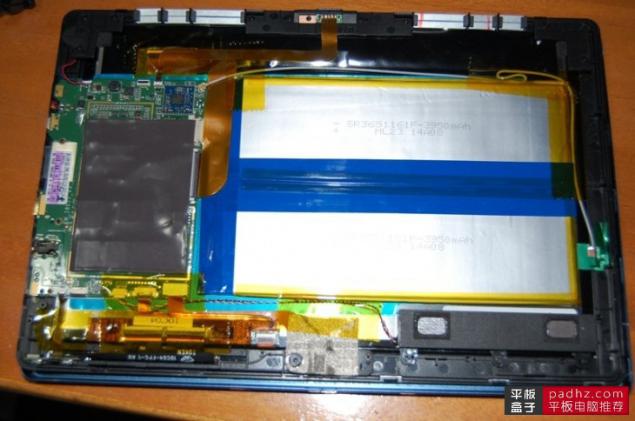
The chip is fully closed, for better heat dissipation:
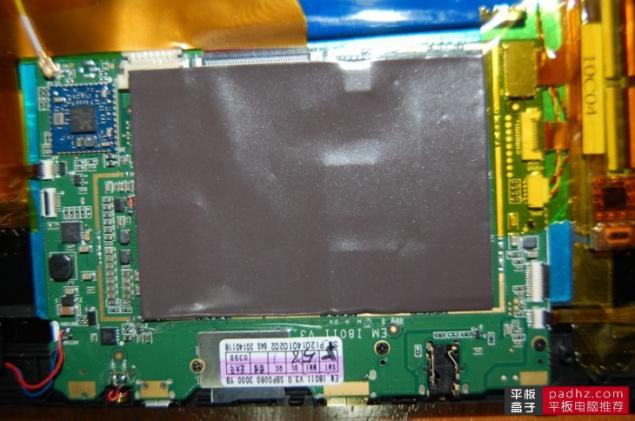
Note that when using the back panel plate is heated uniformly, and not a specific point.
►Programming support
Preinstalled with a licensed version of the operating system Windows 8.1:
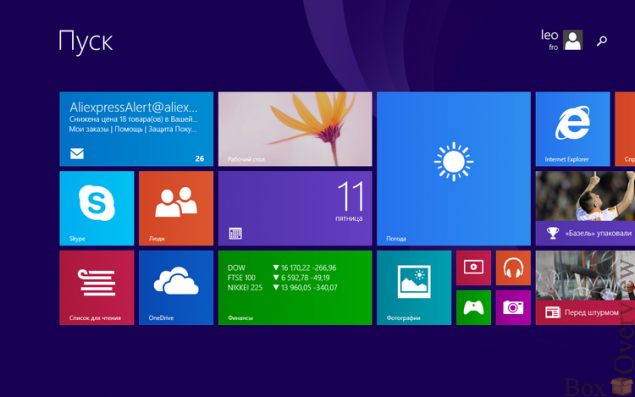
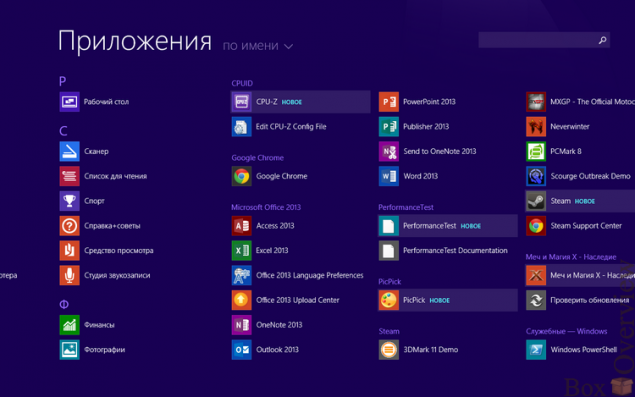
In the OS immediately included package Office Home and Student 2013:
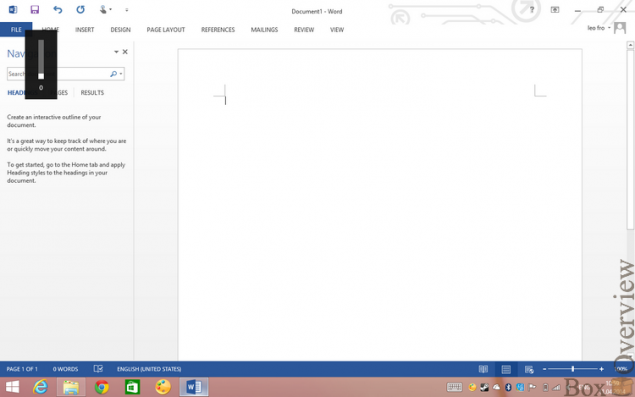
In Windows 8.1 have the opportunity to go to the classic mode with the desktop:
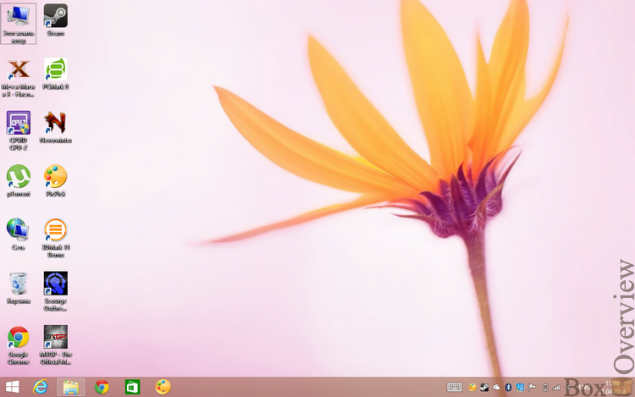
Despite the small controls operate in this mode, you can and use touch-screen without connecting a keyboard or mouse.
►Igry
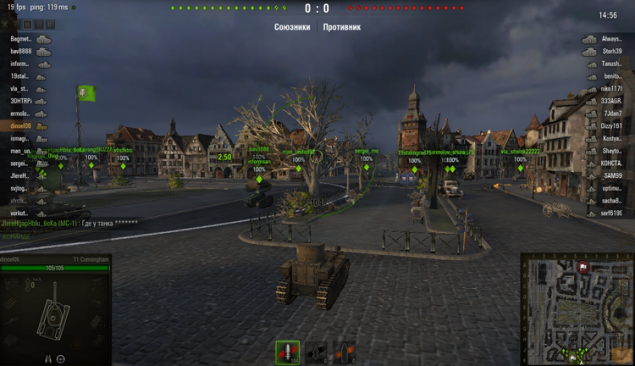
Pipo W1 - this is not the best tablet for gaming, but while away a couple of evenings still possible.
For example, playing online games:
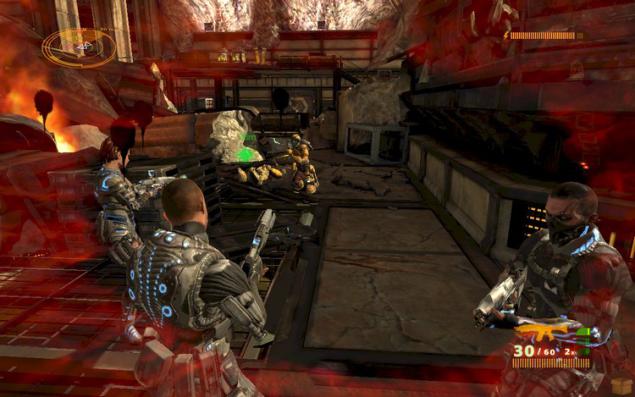
Platform Intel Bay Trail may surprise - 3D-Action Scourge: Outbreak works great on minimum graphics settings:
►Vyvody
64GB permanent memory
Keyboard Cover Included
Licensing Windows 8.1 and Office Home & Student 2013
Low resolution screen
Pipo W1 is perfect if you need Microsoft Windows, but the laptop is for you to think very hard. Performance Intel Bay Trail enough to perform any routine tasks.
Buy tablet Pipo W1 possible to store Geekbuying.com for $ 395 using coupon code BSPNBXHC
I remind you that subscribe to not miss new reviews and articles can page of ("Subscribe" button), or your favorite Social network: Vkontakte , in Google + , in Twitter
Source: habrahabr.ru/company/boxowerview/blog/217919/

Pipo W1 tablet comes in a pretty big box:
Behind brief specifications listed in several languages, including Russian:
On the ground level there is a tablet, and under it - Case Keyboard.
Accessories come in a separate box:
Inside are unit charger and OTG-cable and instruction in Chinese:
Where is the USB-cable to connect to PC - is unclear.
Front plate does not stand out particularly: top is 2MP front camera, bottom - touch button "Home". Rather broad framework that allows to hold the tablet well as horizontally and vertically.
Back of the tablet is completely made of metal:
In the lower right corner there is a sticker with a license of Windows and Office:
Pipo and Windows logo are centered:
2 small speakers are located in the left side of the rear panel:
The sound is quite loud while holding a tablet speakers do not close your palms.
Rear 5MP camera with a resolution:
The volume rocker is on the left side:
All ports are concentrated on the left:
-Log charger
-Microphone
-microUSB
-slot memory cards microSD
-miniHDMI
-Log headphone
Bottom plate is pad for keyboard:
Tablet itself weighs about 600 grams:
Build quality is at a decent level, the location of the controls and ports expansion does not cause problems.
►Klaviatura
Together with the tablet the kit includes a keyboard cover.
The upper part of the cover-keyboard is made of PU-leather:
The base of a metal plate
Qwerty-keyboard without additional number pad:
Fixed plate in cover with magnets, which are located at the edges of the contact strip.
In the center is the contact pad to connect the tablet and 2 small ledge for more reliable fixation:
Small touchpad at the usual place:
At all corners of the keyboard are small rubber protrusions that prevent contact with the screen of the tablet buttons on the keyboard when the cover is in the closed sostyanii:
The cover can be converted into a stand holding structure with the help of 2 magnetic strips on the edge of the top of the cover:
The magnets in the cover are strong, tablet securely fastened in a case and the likelihood of unexpected disconnection is extremely small.
Along with cover plate weighs about 950 grams:
►Ekran
In the tablet mounted 10.1-inch IPS display with a resolution of 1280x800 pixels. Pixels are distinguishable:
Maximum brightness is good, uniform backlight.
►Proizvoditelnost and runtime
In Pipo W1 chip set Intel Bay trail-T Z3740D with the frequency of work to 1.83GGts
Amount of RAM is 2GB, constant - 64GB.
Performance and operation time was tested in the benchmark PCMark 8.
Utility PCMark 8 offers several scenarios for assessing the performance and battery life:
- Home Creative Work
Test Home
Work on the Internet (Web Browsing)
Working with a text editor (Writing)
Casual game (Casual Gaming)
Image Editing (Photo Editing)
Video Chat (Video Chat)
Results Pipo W1 Home scenario using the technology OpenCL 1.1:
Test Creative
Work on the Internet (Web Browsing)
Image Editing (Photo Editing)
Batch editing images (Batch Photo Editing)
Video Editing (Video Editing)
Convert audio and video files (Media To Go)
Mainstream Games (Mainstream Gaming)
Group Video Chat (Video Group Chat)
Results Pipo W1 scenario Creative technology with OpenCL 1.1:
Test Work
In the test, the following tasks Work:
Work on the Internet (Web Browsing)
Working with a text editor (Writing)
Results Pipo W1 scenario Work:
The battery life was conducted in all scenarios enabled OpenCL 1.1
Hours Home 3:00 56 minutes Creative 3:00 51 minutes Work 4 hours, 33 minutes
►Vnutrennosti
must expose yourself tablet I did not dare, but here found detailed pictures. Here are a few of them.
Rear panel:
2 batteries installed on each 3950mAch:
The chip is fully closed, for better heat dissipation:
Note that when using the back panel plate is heated uniformly, and not a specific point.
►Programming support
Preinstalled with a licensed version of the operating system Windows 8.1:
In the OS immediately included package Office Home and Student 2013:
In Windows 8.1 have the opportunity to go to the classic mode with the desktop:
Despite the small controls operate in this mode, you can and use touch-screen without connecting a keyboard or mouse.
►Igry
Pipo W1 - this is not the best tablet for gaming, but while away a couple of evenings still possible.
For example, playing online games:
Platform Intel Bay Trail may surprise - 3D-Action Scourge: Outbreak works great on minimum graphics settings:
►Vyvody
64GB permanent memory
Keyboard Cover Included
Licensing Windows 8.1 and Office Home & Student 2013
Low resolution screen
Pipo W1 is perfect if you need Microsoft Windows, but the laptop is for you to think very hard. Performance Intel Bay Trail enough to perform any routine tasks.
Buy tablet Pipo W1 possible to store Geekbuying.com for $ 395 using coupon code BSPNBXHC
I remind you that subscribe to not miss new reviews and articles can page of ("Subscribe" button), or your favorite Social network: Vkontakte , in Google + , in Twitter
Source: habrahabr.ru/company/boxowerview/blog/217919/
In the tablet mounted 10.1-inch IPS display with a resolution of 1280x800 pixels. Pixels are distinguishable:
Maximum brightness is good, uniform backlight.
►Proizvoditelnost and runtime
In Pipo W1 chip set Intel Bay trail-T Z3740D with the frequency of work to 1.83GGts
Amount of RAM is 2GB, constant - 64GB.
Performance and operation time was tested in the benchmark PCMark 8.
Utility PCMark 8 offers several scenarios for assessing the performance and battery life:
- Home Creative Work
Test Home
Work on the Internet (Web Browsing)
Working with a text editor (Writing)
Casual game (Casual Gaming)
Image Editing (Photo Editing)
Video Chat (Video Chat)
Results Pipo W1 Home scenario using the technology OpenCL 1.1:
Test Creative
Work on the Internet (Web Browsing)
Image Editing (Photo Editing)
Batch editing images (Batch Photo Editing)
Video Editing (Video Editing)
Convert audio and video files (Media To Go)
Mainstream Games (Mainstream Gaming)
Group Video Chat (Video Group Chat)
Results Pipo W1 scenario Creative technology with OpenCL 1.1:
Test Work
In the test, the following tasks Work:
Work on the Internet (Web Browsing)
Working with a text editor (Writing)
Results Pipo W1 scenario Work:
The battery life was conducted in all scenarios enabled OpenCL 1.1
Hours Home 3:00 56 minutes Creative 3:00 51 minutes Work 4 hours, 33 minutes
►Vnutrennosti
must expose yourself tablet I did not dare, but here found detailed pictures. Here are a few of them.
Rear panel:
2 batteries installed on each 3950mAch:
The chip is fully closed, for better heat dissipation:
Note that when using the back panel plate is heated uniformly, and not a specific point.
►Programming support
Preinstalled with a licensed version of the operating system Windows 8.1:
In the OS immediately included package Office Home and Student 2013:
In Windows 8.1 have the opportunity to go to the classic mode with the desktop:
Despite the small controls operate in this mode, you can and use touch-screen without connecting a keyboard or mouse.
►Igry
Pipo W1 - this is not the best tablet for gaming, but while away a couple of evenings still possible.
For example, playing online games:
Platform Intel Bay Trail may surprise - 3D-Action Scourge: Outbreak works great on minimum graphics settings:
►Vyvody
64GB permanent memory
Keyboard Cover Included
Licensing Windows 8.1 and Office Home & Student 2013
Low resolution screen
Pipo W1 is perfect if you need Microsoft Windows, but the laptop is for you to think very hard. Performance Intel Bay Trail enough to perform any routine tasks.
Buy tablet Pipo W1 possible to store Geekbuying.com for $ 395 using coupon code BSPNBXHC
I remind you that subscribe to not miss new reviews and articles can page of ("Subscribe" button), or your favorite Social network: Vkontakte , in Google + , in Twitter
Source: habrahabr.ru/company/boxowerview/blog/217919/
Working with a text editor (Writing)
Casual game (Casual Gaming)
Image Editing (Photo Editing)
Video Chat (Video Chat)
Results Pipo W1 Home scenario using the technology OpenCL 1.1:
Test Creative Work on the Internet (Web Browsing)
Image Editing (Photo Editing)
Batch editing images (Batch Photo Editing)
Video Editing (Video Editing)
Convert audio and video files (Media To Go)
Mainstream Games (Mainstream Gaming)
Group Video Chat (Video Group Chat)
Results Pipo W1 scenario Creative technology with OpenCL 1.1:
Test Work In the test, the following tasks Work:
Work on the Internet (Web Browsing)
Working with a text editor (Writing)
Results Pipo W1 scenario Work:
The battery life was conducted in all scenarios enabled OpenCL 1.1
| Hours | Home 3:00 56 minutes | Creative 3:00 51 minutes | Work 4 hours, 33 minutes ►Vnutrennosti Preinstalled with a licensed version of the operating system Windows 8.1:   In the OS immediately included package Office Home and Student 2013:  In Windows 8.1 have the opportunity to go to the classic mode with the desktop:  Despite the small controls operate in this mode, you can and use touch-screen without connecting a keyboard or mouse. ►Igry 64GB permanent memory Keyboard Cover Included Licensing Windows 8.1 and Office Home & Student 2013 Low resolution screen Pipo W1 is perfect if you need Microsoft Windows, but the laptop is for you to think very hard. Performance Intel Bay Trail enough to perform any routine tasks. Buy tablet Pipo W1 possible to store Geekbuying.com for $ 395 using coupon code BSPNBXHC I remind you that subscribe to not miss new reviews and articles can page of ("Subscribe" button), or your favorite Social network: Vkontakte , in Google + , in Twitter Source: habrahabr.ru/company/boxowerview/blog/217919/ |
