4961
Home computer Atari 520STF
In my small home collection has another exhibit - Atari 520STF .
The previous owner of the computer bought it in France in 1988, after which the expensive purchase was moved to Russia, where Atari 520STF long been a "game console" for the younger members of the family. In addition to entertainment features, Atari 520STF also helped develop programming, as evidenced not only the words of the former owner, but also to get me along with a photocopy of a textbook on computer BASIC in French.
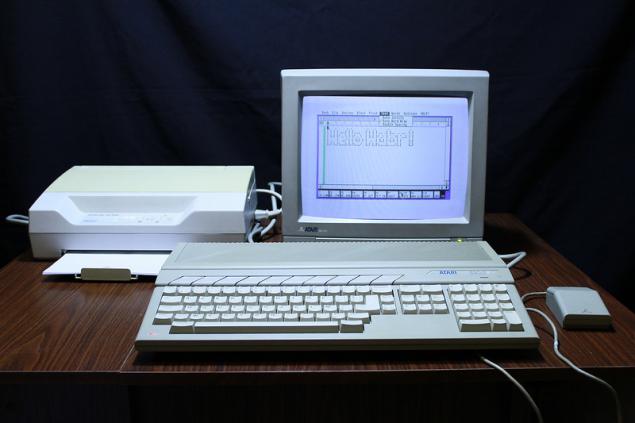
I would like to note that this computer was much more accessible and cheaper than their competitors - the same characteristics computer Apple Macintosh 512k < / a> cost 2795 US dollars, while the Atari 520STF (albeit without monitor) would cost only $ 799. Due to its low price, it has become quite popular among gamers, and musicians gave Atari 520STF their preference, because the computer was on board MIDI interface that allows you to create electronic music composition.
Watch Out! A lot of pictures.
Specifications.
- Processor: Motorola 68000 @ 8MHz RAM: 512KB
- Display: 320 X 200 - 16 colors, 640 X 200 - 4 colors, 640 X 400 - black and white image Video Output: RGB (SCART), a model of Atari 520STFM - modulator for connecting to a TV Ports: Port cartridge, LPT and COM ports, ports for connecting a joystick and mouse Hard Drive: external, from 10MB to 60MB Sound: Three channel sound generator chip on YM2149F AY-3-8910 Additional Interfaces: MIDI input + MIDI output Drive: Built-in 720K + external 720KB / 1, 44Mb Operating system: Atari TOS + GEM Appearance and equipment.
Let's start with the configuration.
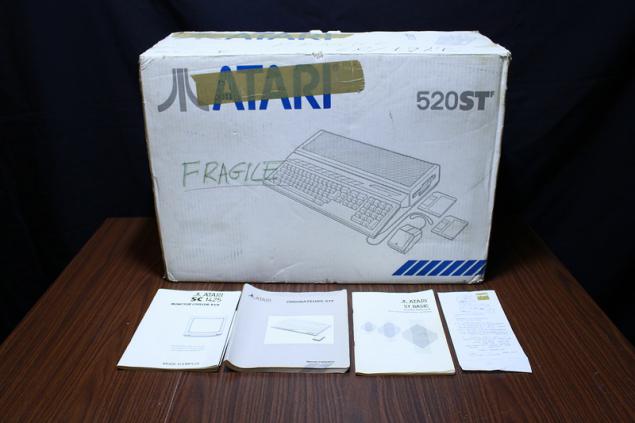
Atari 520STF delivered in such a cardboard box, which can be found inside the computer itself, the power cord, mouse, and little documentation.
Upon request, the computer can be equipped with a color or black and white high-resolution monitor, also packed in the original box. To monitor attached connecting cable, manual and schematic diagram of the monitor. Monitor, by the way, you can not buy - Available in PC RGB-video output can be used to connect to a TV Atari 520STF with the SCART (this would require the appropriate cable), and the model Atari 520STF index «M» has a built-RF modulator, allowing connected to a computer equipped with a corresponding high-frequency input (using the most common connector "tulip»).
Atari 520STF body is made of gray plastic, its dimensions are 10cm x 48cm x 29cm, and the weight of the computer is 4, 2 kg.
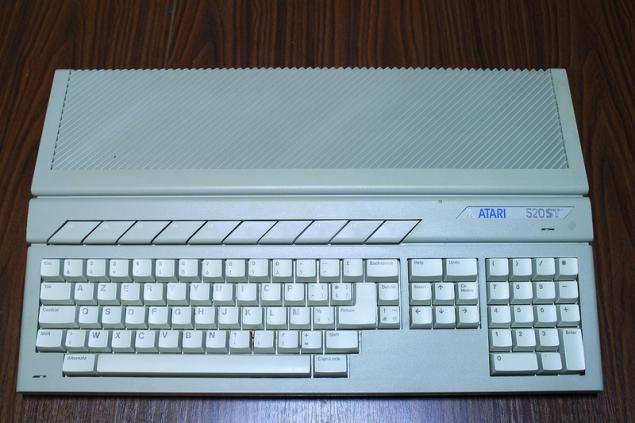
Keyboard Atari 520STF - removable, has 94 keys. 10 function keys are located above the main unit keys, numeric keypad keys located to the right, and between them sheltered arrow cursor keys, Insert, Home, Help and Undo. Keyboard Layout - AZERTY , since this model was intended for sale in France.
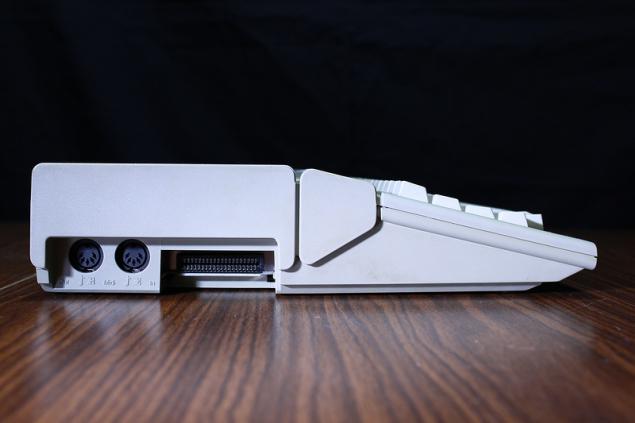
On the left side of the body are connectors MIDI, and a connector for the cartridge.
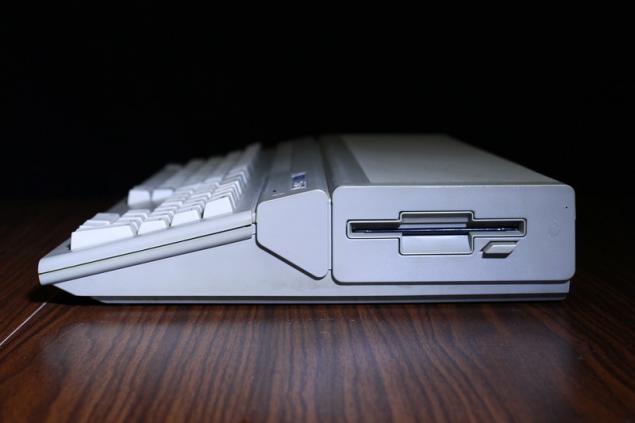
Drive located on the right side.
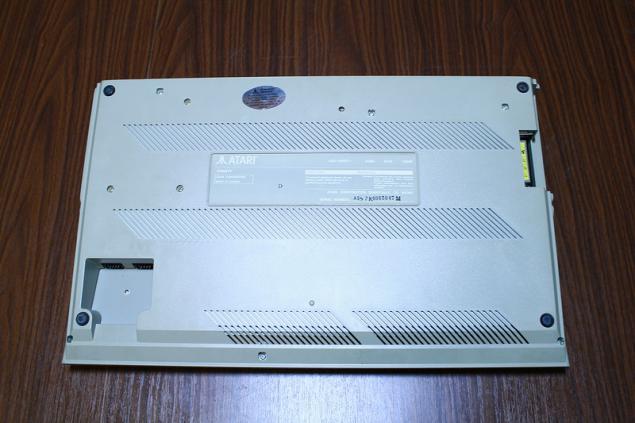
If you turn the Atari 520STF upside down, you can see the connectors for mouse and joystick.
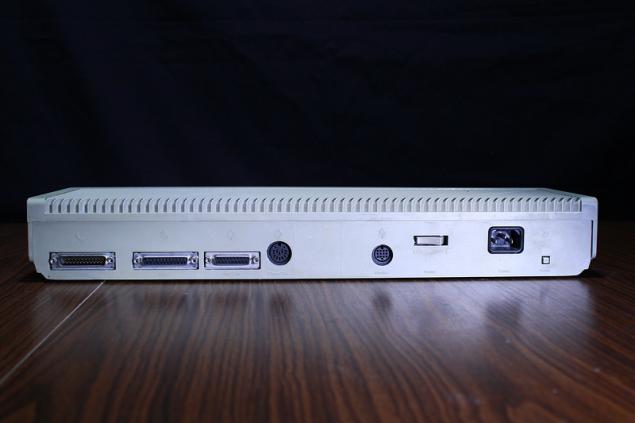
On the back side of the case provides a connector for connecting a modem, printer, external hard drive and drive, as well as video output, power button, power connector and button Reset. For more information about the available interfaces can read here .
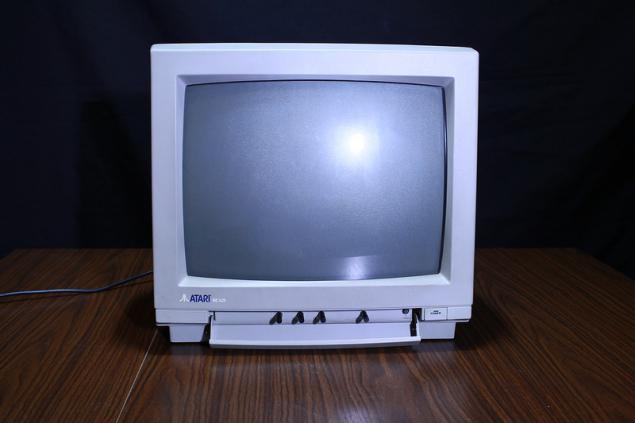
And looks like 14 & quot; color monitor Atari SC1425. Most of the bodies of picture and sound settings located under a cover on the front of the monitor.
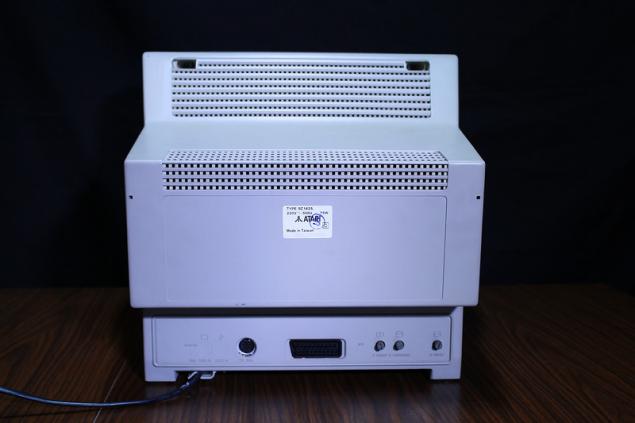
On the rear part there are knobs length and width of the image and its vertical positioning. There is also a SCART connector and analog TTL input.
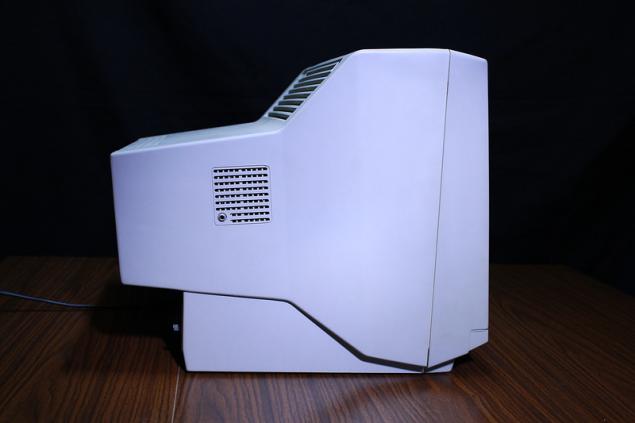
At the sides of the monitor speakers are built, as well as a connector for headphones.
Internal device.
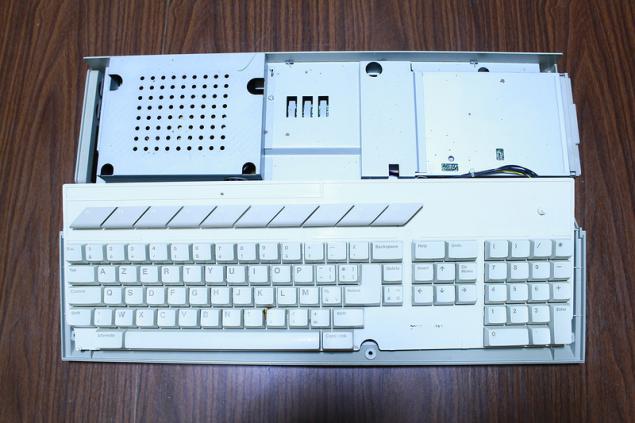
Remove the top cover. Under a protective metal casing on the left is the power supply, right - drive.
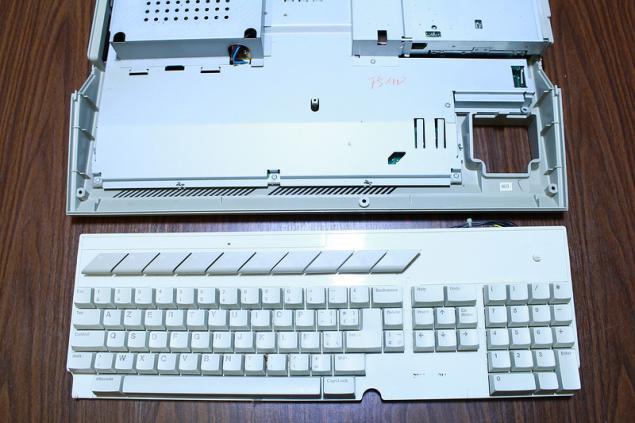
Remove the keyboard after removing a small loop on the motherboard.
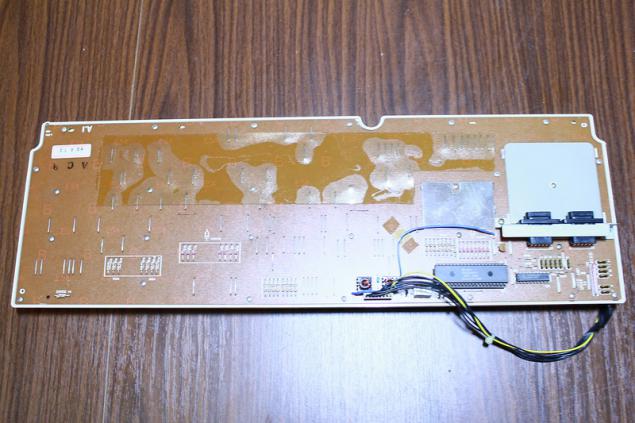
Turning the keyboard, you can see it available on the controller and connectors for mouse and joystick.
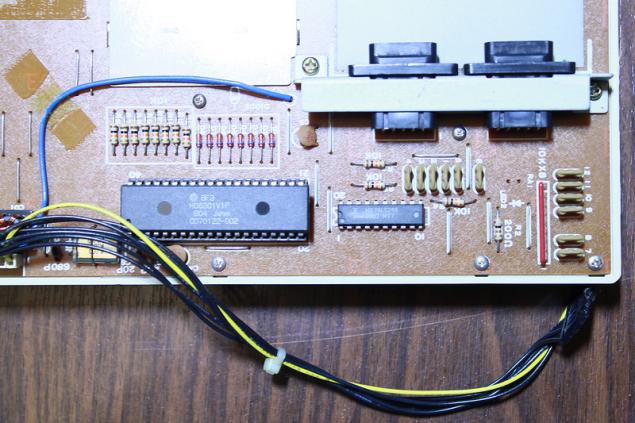
Hitachi HD6301V1P controller is an 8-bit microcomputer in the housing DIP40, clock frequency is 1MHz. Contains 4KB ROM, 128 bytes of RAM, supports serial data transmission and многое Other .

Remove the right cover, unscrew the three screws and take out the drive.
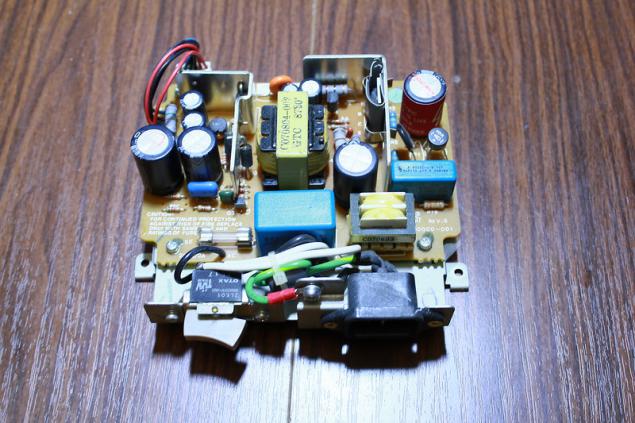
Removing the left metal casing and remove the two screws, you can remove the power supply.
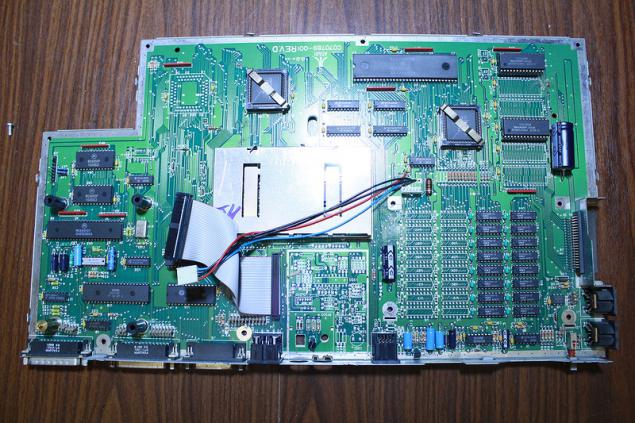
Remove the metal cover from the motherboard and remove it.
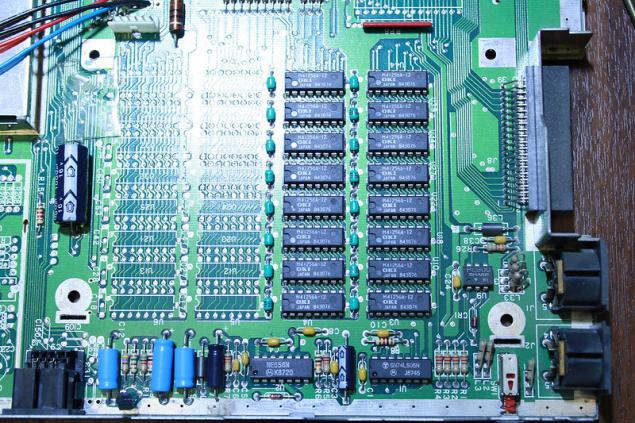
16 chip RAM OKI M41256A-12, totaling 512K.
Nearby there are seats for another 16 RAM chips soldered which can increase the memory twice, thus turning Atari 520STF in the high-end model - Atari 1040STF .
Unfortunately, to get the appropriate memory chips (256K NMOS, access time 150ns or less) is difficult. In my opinion, it is much easier to acquire or produce JRI-RAM + upgrade board and used to expand the memory usual 30-pin modules SIMM.
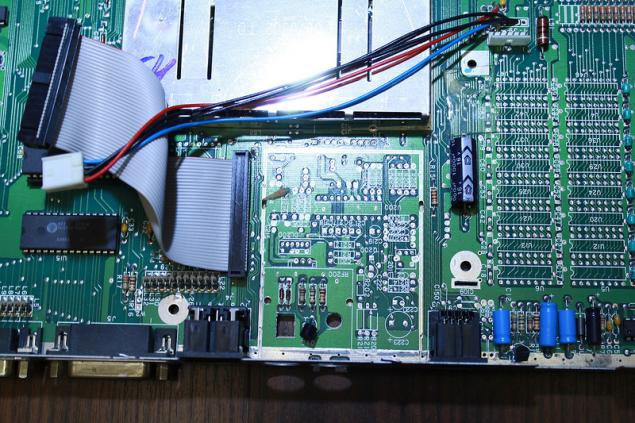
There could be a TV modulator.
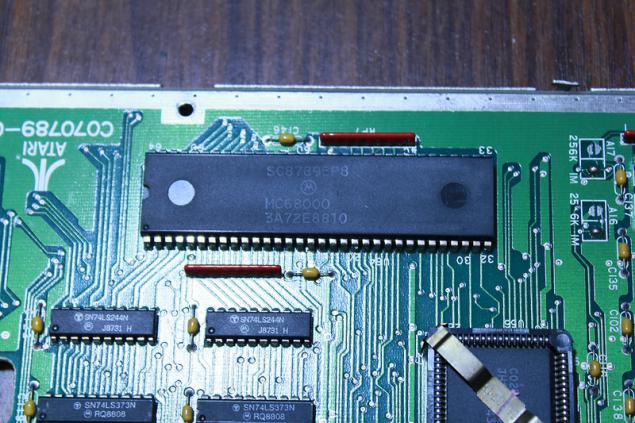
Heart of the computer - the processor Motorola MC68000.
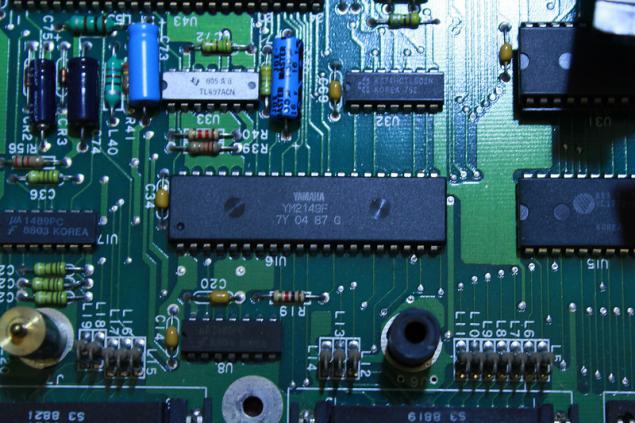
Three channel sound generator Yamaha YM2149F, which is an analogue AY-3-8910 .
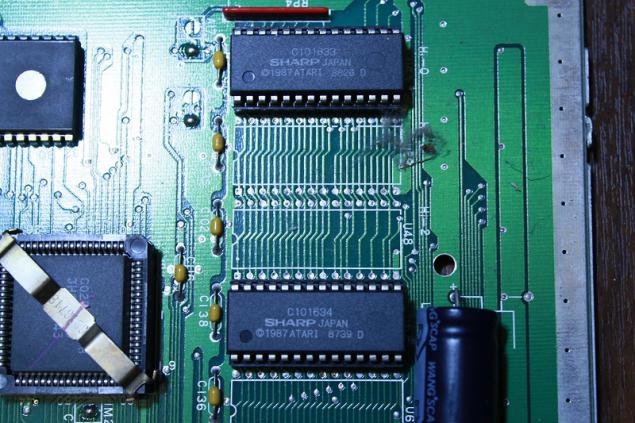
ROM chips SHARP C101634, containing operating system Atari TOS.
Operating System.
Atari 520STF was running sewn into the ROM of the operating system Atari TOS , and consisted of a core GEMDOS and graphical environment GEM .
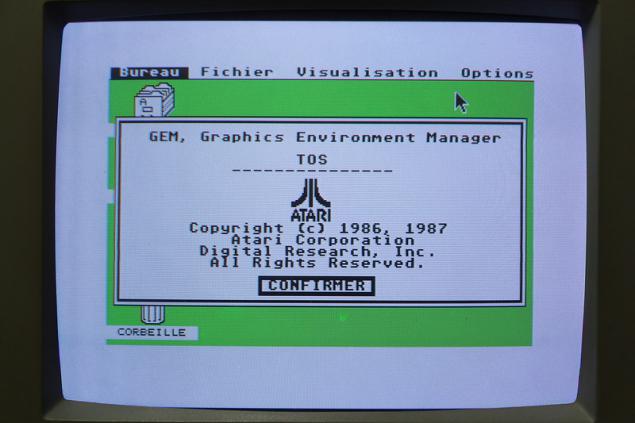
Desk GEM.
The latest supported version of Atari TOS Atari 520STF computer is RAINBOW TOS 1.04, released April 6, 1989. This version not only improves the performance of your computer, but also had the support of the file system MS-DOS, allowing you to read and write information for Atari 520STF on a conventional IBM PC-compatible computer.
In my copy of the computer has two ROM chips SHARP C101634, containing a version of Atari TOS 1.02. Update version of the operating system, you can use the programmer and the two (sometimes - six) UV erasable ROM.
Software.
Despite the small amount of RAM for the computer Atari 520STF there was a huge amount of software of various kinds. Here are a few programs that I was able to find and run.
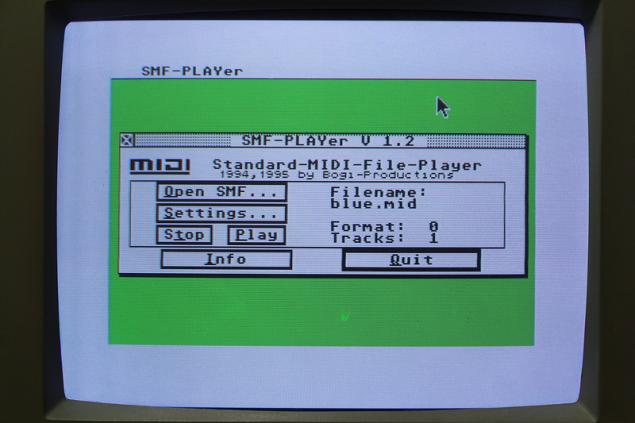
MIDI player SMF-Player.
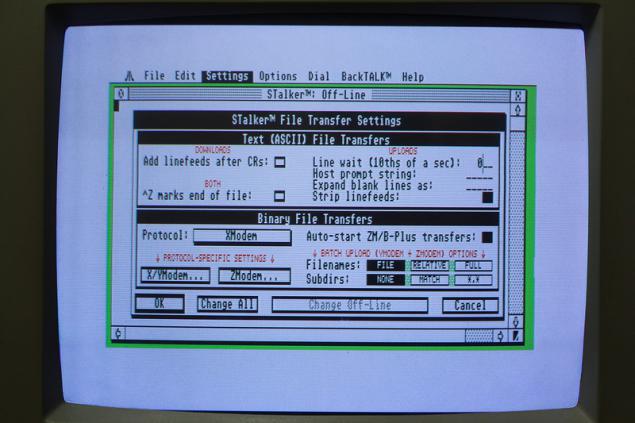
Console terminal STALKER.
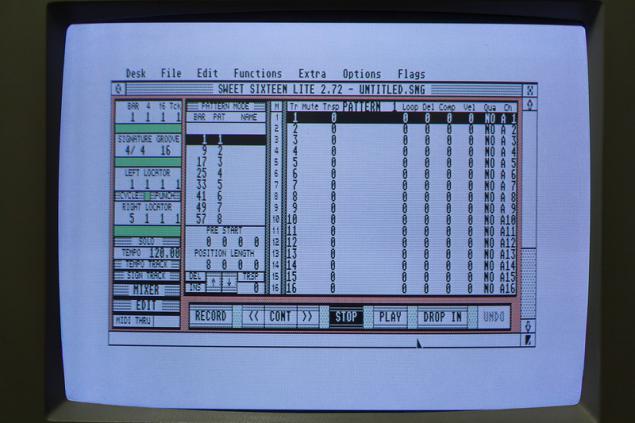
Good MIDI-sequencer Sweet Sixteen.
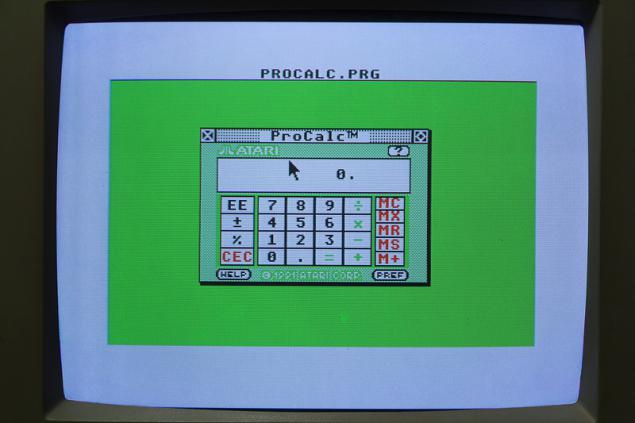
Advanced calculator PROCALC.
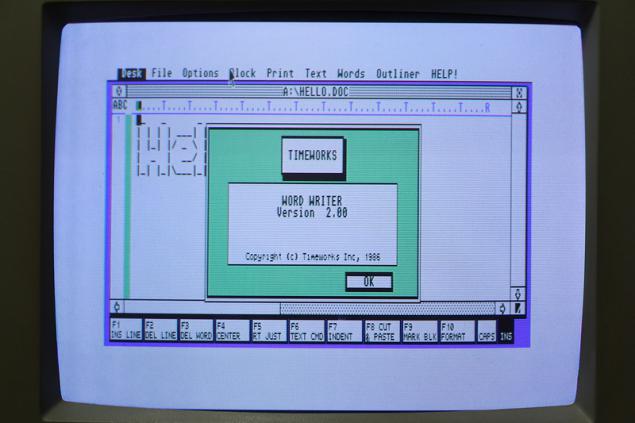
Pretty handy text editor Word Writer 2. No problem text printed on the printer Epson LQ-100.
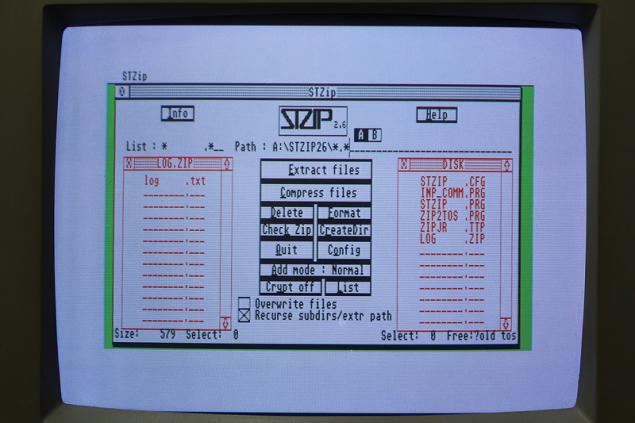
Archiver STZIP26.
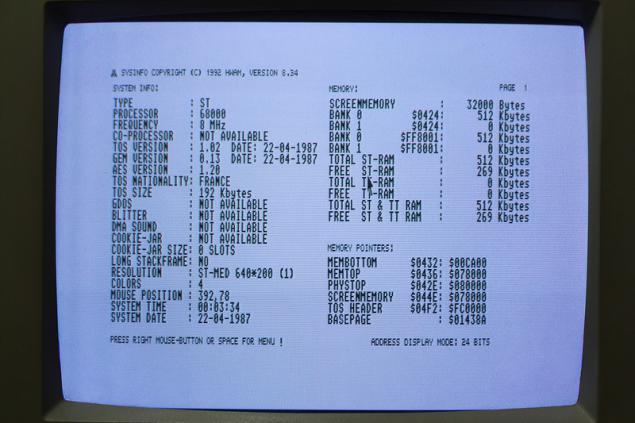
The utility displays information about the system - SYSINFO.
Alas, 512K RAM is too small to run CUBASE LITE, a web browser Crystal Atari Browser 1.5, ESCPAINT and other useful programs, so they do not fall review.
Games.
For Atari 520STF written a lot of games. So great that the eyes diverge much. Here are some of them.
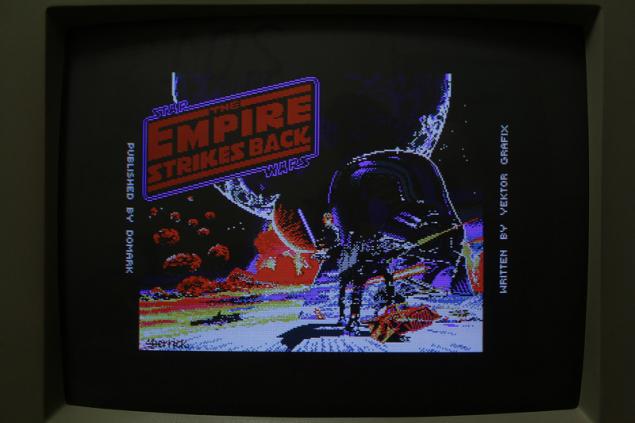
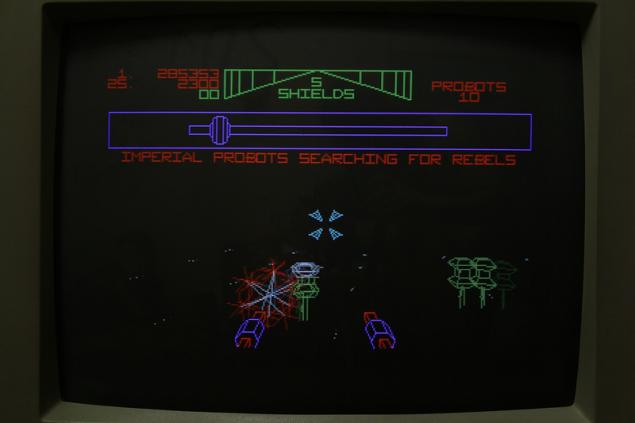
Star Wars - The Empire Strikes Back.
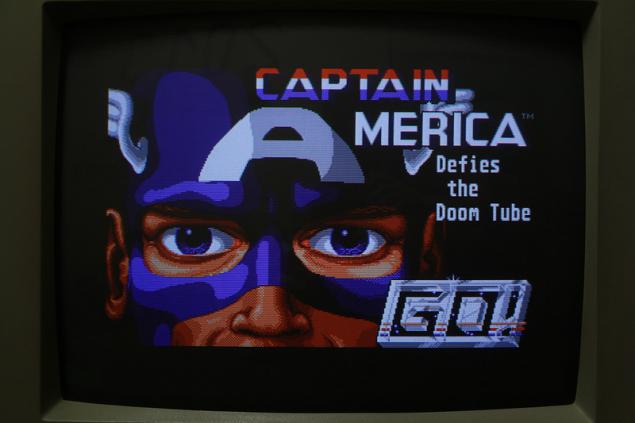
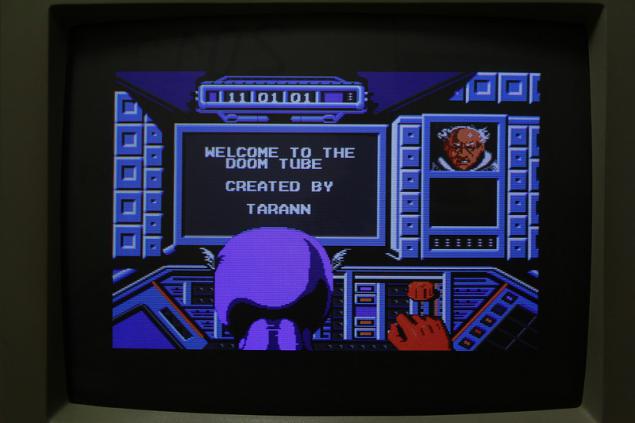
Captain America.
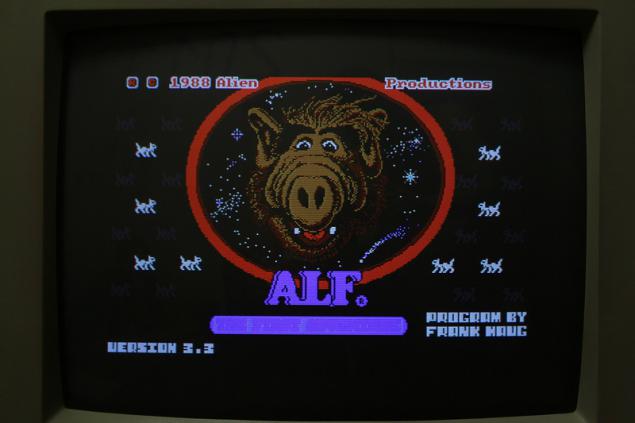
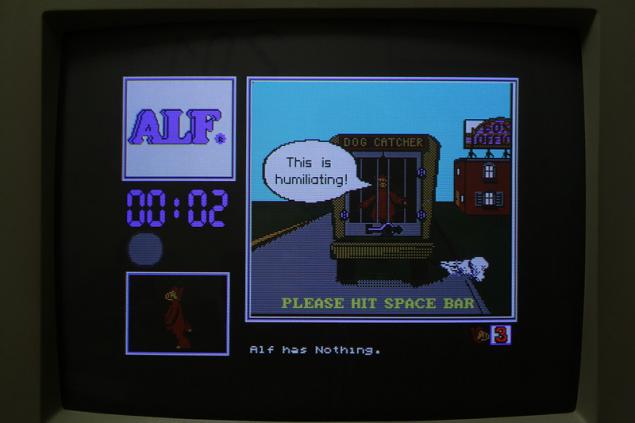
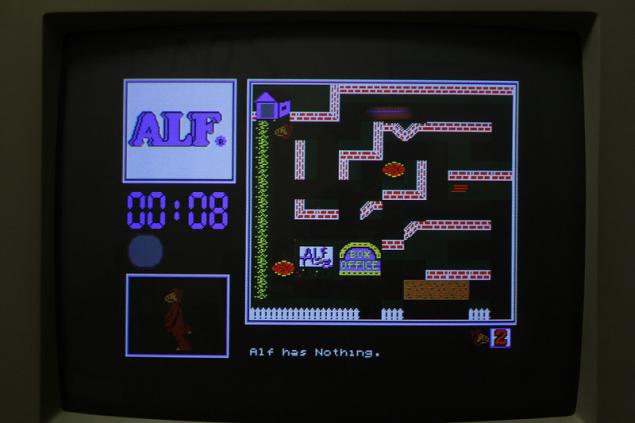
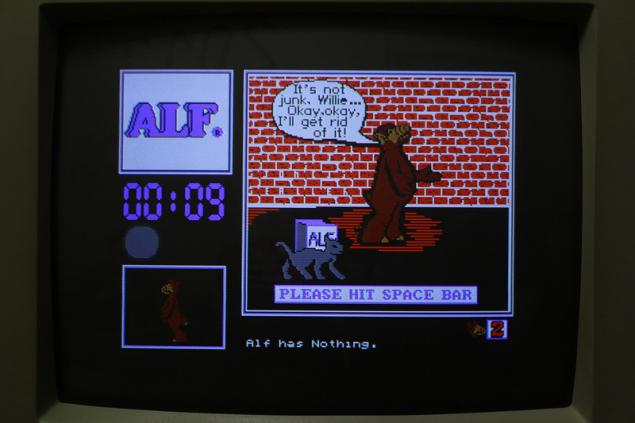
ALF.
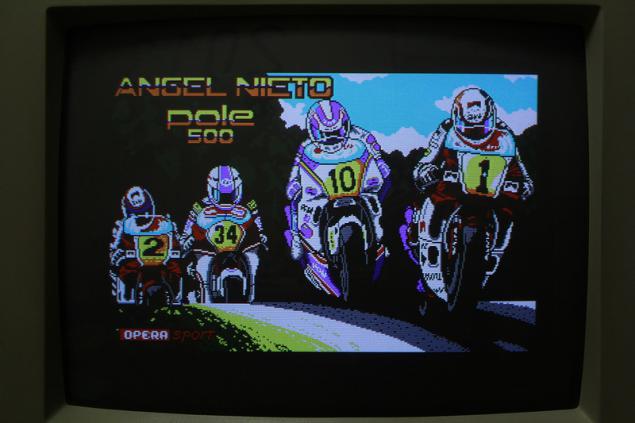
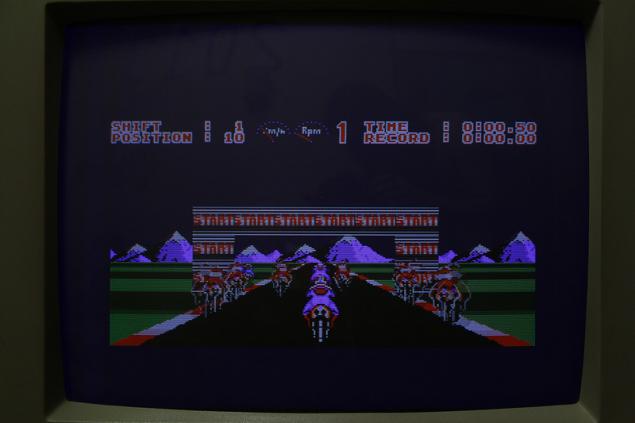
Angel NIETO.
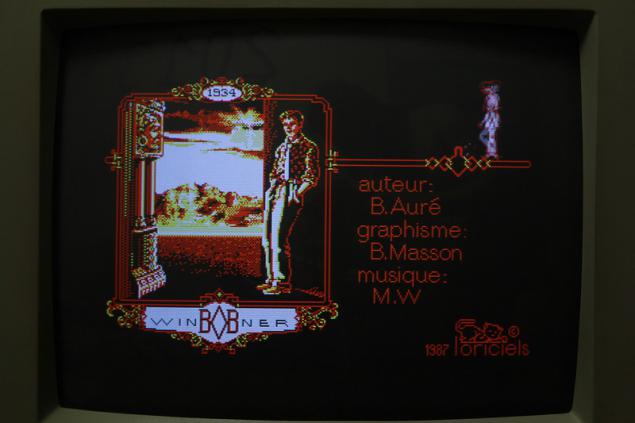
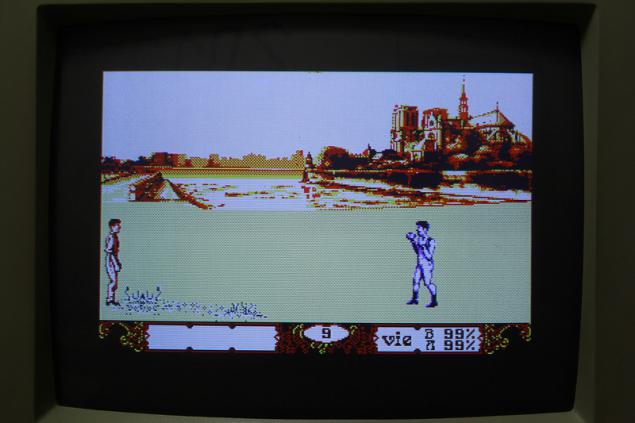
BOB Winner.
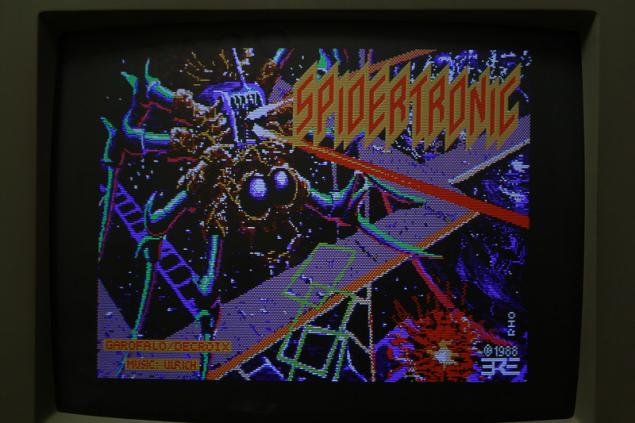
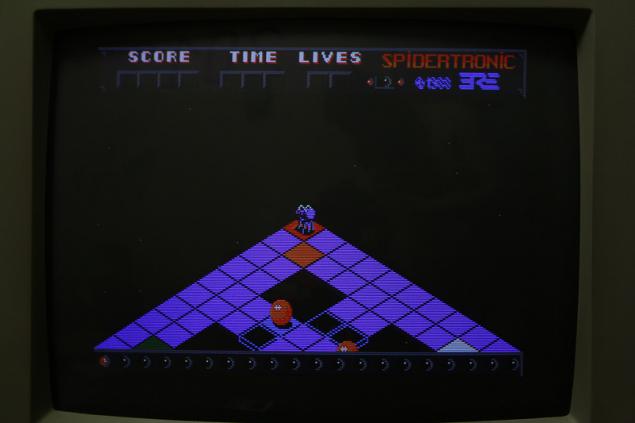
Spidertronic.
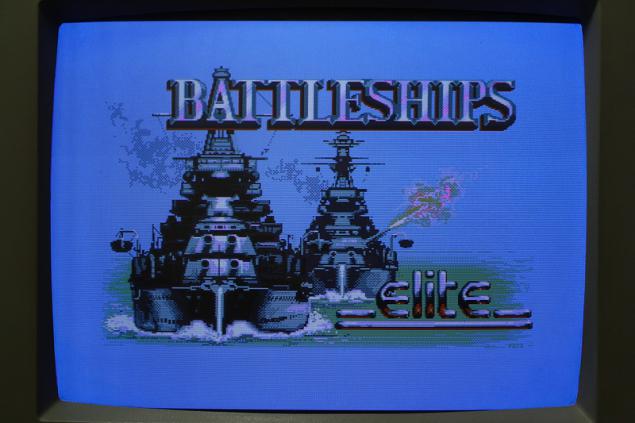
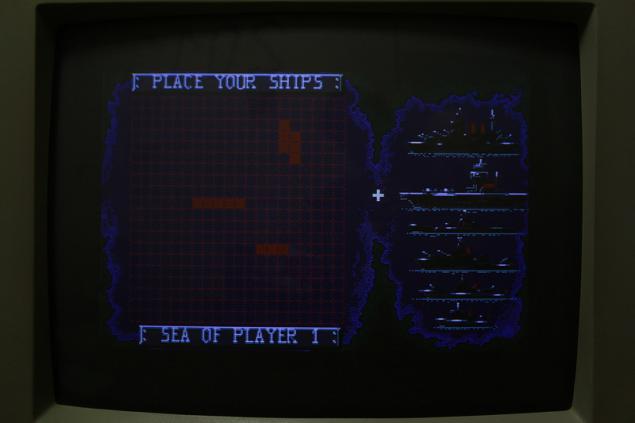
Battleship.
Start the FTP-server on the Atari 520STF.
You probably noticed that Atari 520STF has a 25-pin COM port. His presence means that your computer can connect an external modem. And even get online! However, there is one unpleasant feature of this model computer - 512Kb RAM is too small to run a web browser Crystal Atari Browser 1.5 . Attempts to run on Atari 520STF http-server WebLight also ended in failure, but it turned out to raise the FTP server .
Note: given that virtually no ISP no longer provides access to the World Wide Web via dial-up modem connection, have a little poizvraschatsya - pick up and customize your own Dial-In server. The easiest way - to take advantage of the existing functionality of Windows 2000 and above, namely the server for incoming connections. For information about how to do this, you can найти Internet . You will also need any office PBX. If you are not confused, you can repeat the experience at home.
To start the FTP server on the Atari 520STF we need an external modem, two plastic bottles, duct tape and blue ... and support TCP-IP for Atari StinG . Must be written to a floppy disk StinG and make a few changes in the configuration files (I changed the way that link to C: \ drive ways, pointing to drive A: \).
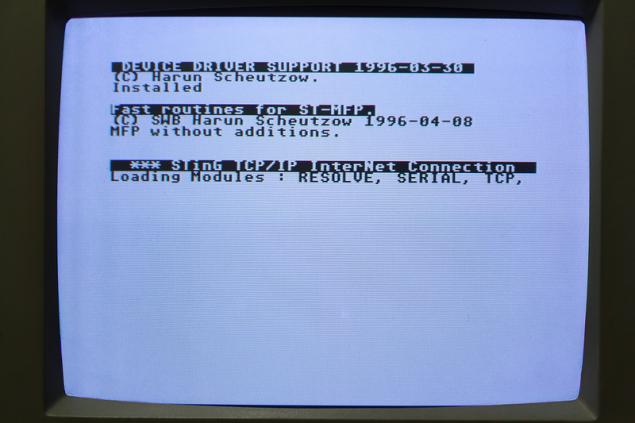
Restarting the Atari 520STF with a diskette in the drive with StinG.
Now you can start the dialer DIALER.APP
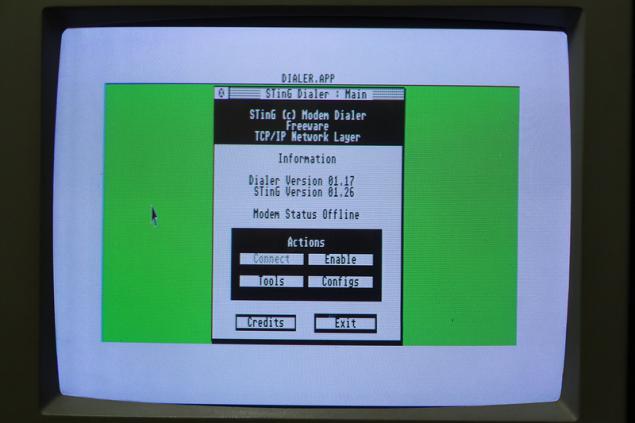
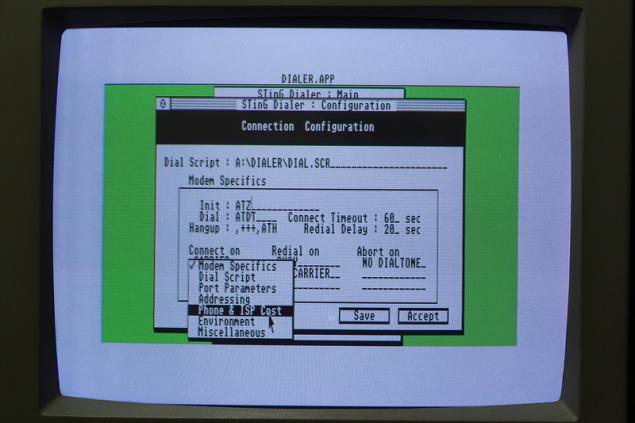
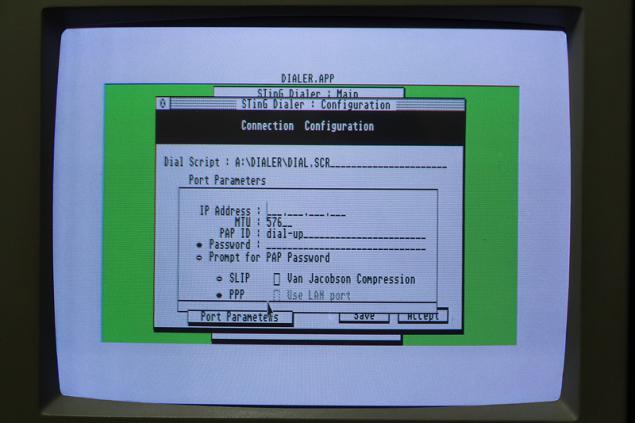
Pressing Configs, configure dial-up connection: indicates the provider's phone number, login and password for access to the network and, if necessary, change the modem initialization string.
Click Enable, and connect to the ISP by clicking Connect.
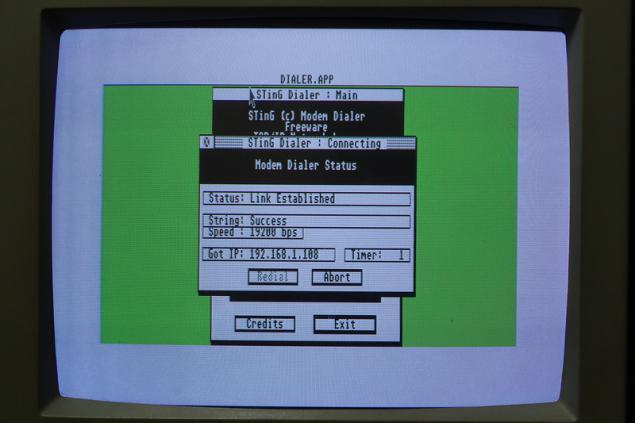
Establishing a connection.
Done! You can now close the DIALER.APP
Once connected to the Internet, you can start FTP server . His way, too, must be written on a separate disk, and set up - in the file FTPUSERS must specify a user name, password, and specify the path to the folder to which access is provided, as well as the existing user permissions. Detailed instructions for setting up FTP server is available in the help file FTP_SERV.HYP ST-Guide . Do not forget to copy the ST-Guide to the floppy disk!
Start the FTP server ( FTP_SERV.APP WDIALOG.PRG
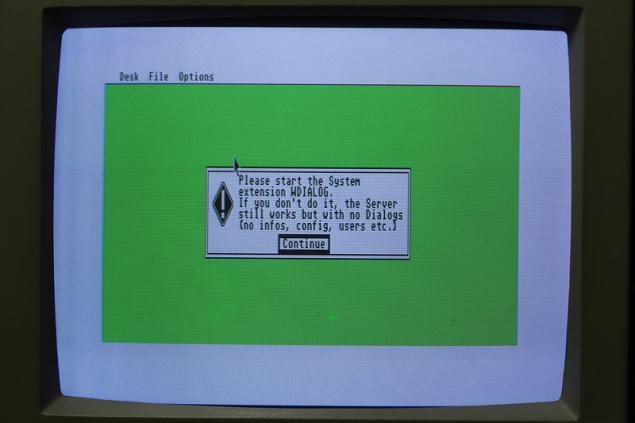
Well, download WDIALOG.PRG, put it on a floppy disk and run. Start the FTP server and enjoy the opportunity to stick to the menu with the mouse - we can now see the menu items Settings, Logged Users and Generate passwords.
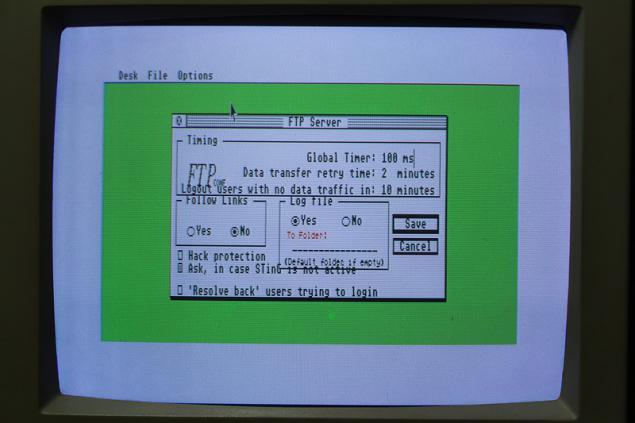
In fact, it is quite possible to do without WDIALOG.PRG FTPUSERS is done by manually editing this file, Settings section does not contain anything critical, and item Logged Users menu allows you to only view currently active users - informative, but to no avail.
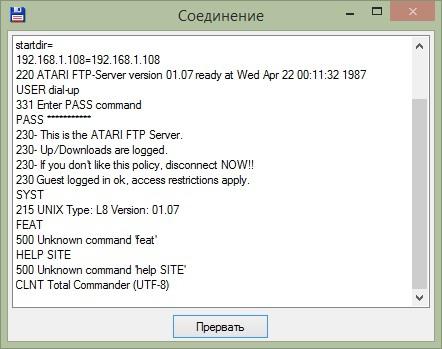
Connect to our FTP server by IP-address.
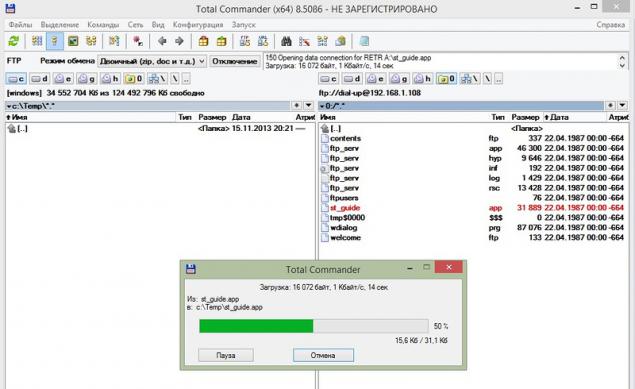
Download the realties that a diskette. Speed is just incredible.
We try to fill in the FTP server that realties useless. Stored patience. Epic Fail - transmission error. Will charge this error on sloppy software, corrupted disk and unfavorable position of the stars.
Profit! FTP server on Atari 520STF launched!
Emulator Steem.
Perhaps you have a question - is there an emulator for the Atari 520STF? Of course there is, and not one!
One of the most popular emulators for the Atari platform open source is Steem . Below you will find illustrated instructions for installing and configuring the emulator Steem, as well as to launch programs and games on the emulator. Instructions are written in such detail that they can understand any blonde and every student.
The installation of the emulator Steem and firmware TOS .
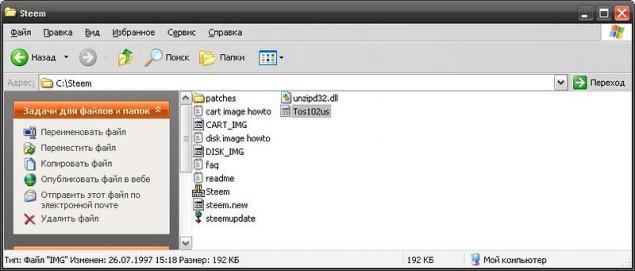
Extract the contents of the archive with the emulator and the firmware TOS to any folder (for example, in the folder C: \ Steem \), put the firmware to the root folder with the emulator. To emulate the Atari 520STF we need a firmware Tos102us.IMG

Run Steem.exe

Further, we warn that the emulator must have firmware TOS. We agree.
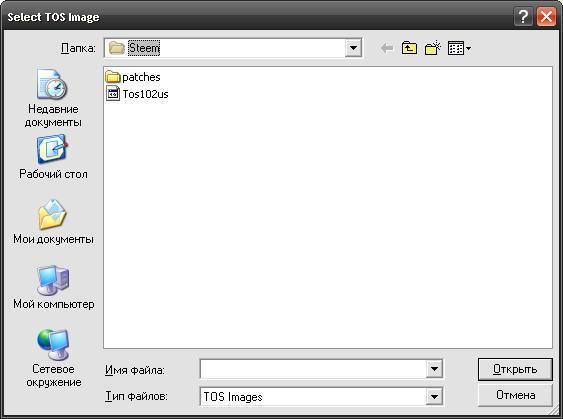
Specify the emulator on the location of our Tos102us.IMG
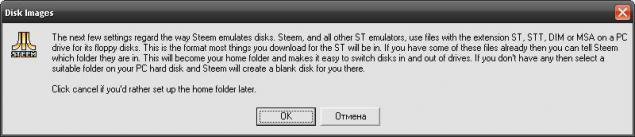
This dialog informs us of the need to specify the home directory will be located where the floppy disk images for Atari 520STF. We click «OK».
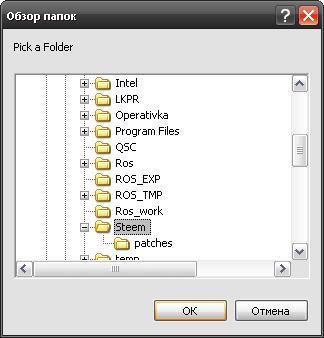
Specify the home directory. For example, C: \ Steem \

The following dialog offers designate a folder that will be a virtual hard disk emulator Steem. You can create multiple "drives" by assigning multiple folders.
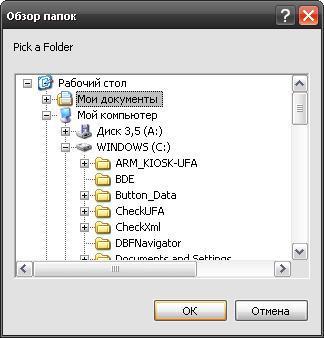
Virtual C: \ drive allows you to copy files between emulator Steem and specify the folder on your computer. For the convenience of easily accessible and desirable to specify an empty folder, such as "My Documents».
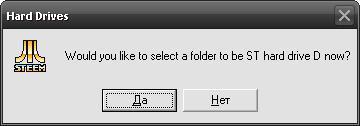
After creating a virtual C: \ drive will be prompted to create another disk. We will not need it, why refuse.

Congratulations, installation is complete!
Setting emulator Steem.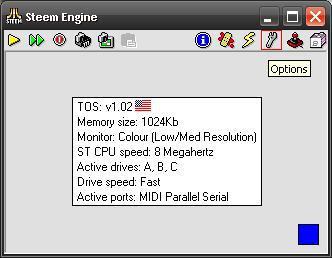
To change the settings of the emulator you must click on the icon wrench (circled in the screenshot a red square).
The default settings should be fine to run most games and programs. However, I still made some changes:
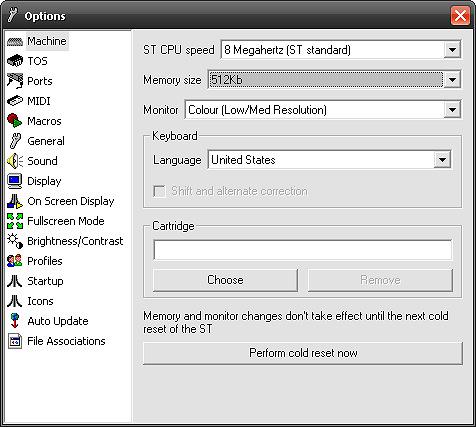
By default, the memory is 1024K. I reduced the amount of memory to the spartan conditions of the computer Atari 520STF.
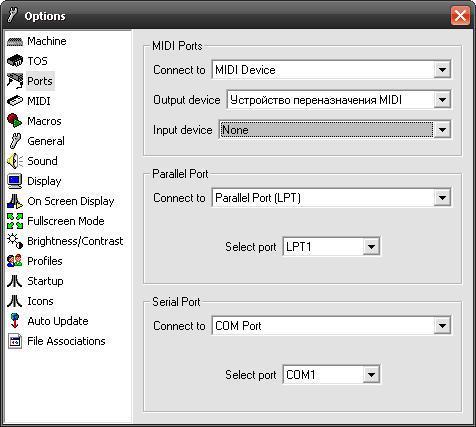
If you want to use the emulator physical LPT and COM ports on your computer or listen to MIDI files, it is necessary to make changes in the Ports in accordance with your equipment.
Running programs and games on the emulator Steem. Software and games for the Atari ST can be distributed in the form of the floppy disk or in archives.
- If you have downloaded the program for Atari ST as a zip file, you will need to extract the contents to a folder of virtual "disk» C: \ Steem emulator on your computer.
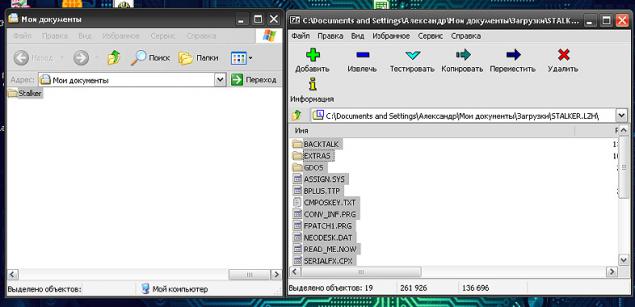
If you installed the emulator Steem instructions on "How to install the emulator Steem» in this review (without changing ways), put the contents of the archive with the program in the folder "My Documents", for the convenience of creating a subfolder with the name of the program (for example, Stalker).
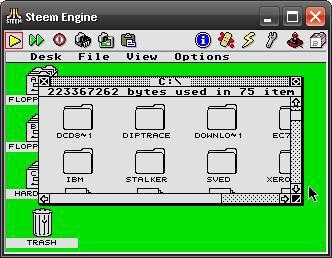
Now you can run the emulator Steem clicking Run (circled in red in the screenshot square) and go to the C: \ drive our virtual Atari.
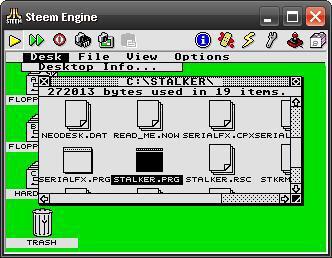
Find among all sorts of useful files (Yeah, my folder "My Documents" was not so empty) our newly created sub-folder and run the program. Most programs have the extension .PRG
If the game or program is distributed in the form of a floppy disk image files (files with the extension .ST, .STT, .DIM, .MSA), you need to place the image file in the folder that you specified during installation Steem domestic directory to the floppy disk.
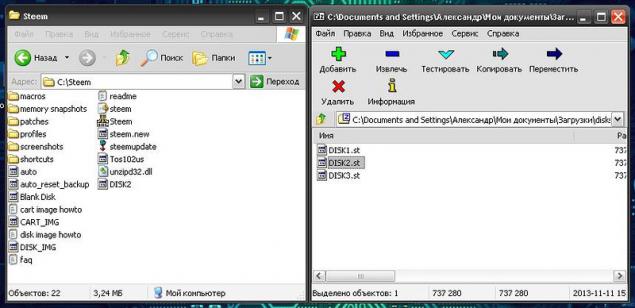
If you installed according to the instructions Steem "The installation of the emulator Steem» in this review (without changing ways), put the floppy image file in the folder C: \ Steem \
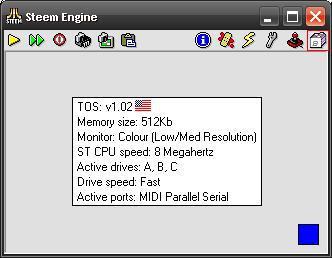
Now run the emulator and call Steem Disk Manager (circled in the screenshot a red square).
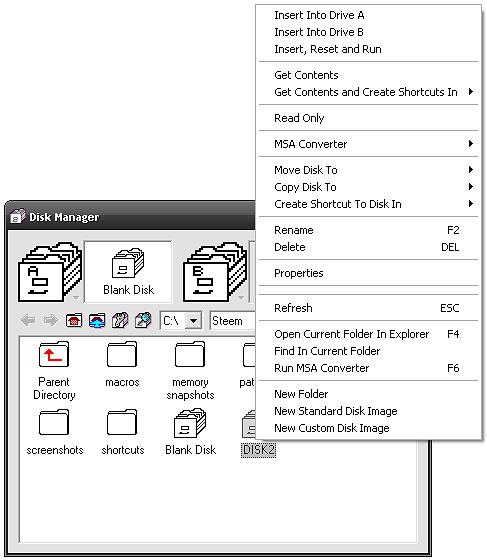
"Insert" disk image in drive A: \, right-clicking on the name of the disk image and selecting «Insert Into Drive A».
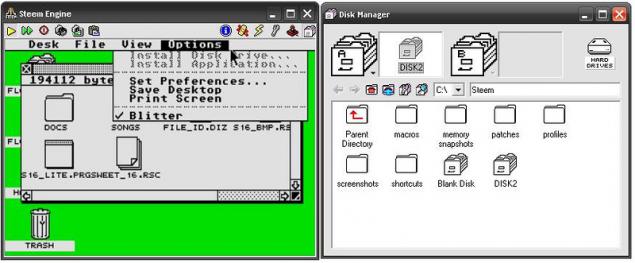
Click the yellow button Run, go to disk A: \ to our virtual Atari and launch the desired program.
Also mount a floppy disk image, you can use the menu «Insert, Reset and Run» in the Disk Manager. In this case, the image will be mounted in the drive A: \, and automatically start (restart if already running) our virtual Atari.
Afterword.
As you can see, Atari 520STF for his time is an excellent computer, which could be used not only for games, but for serious creative work. Thanks to its low price and good opportunities, Atari 520STF became the dream of many users, both abroad and in our country.
To the delight of those interested and nostalgic, I want to note that there is a huge collection of programs and games, Atari fans gathered, for example - Atari ST TOSEC .
Thank you for your attention and have a nice day!
Source: habrahabr.ru/post/200494/
- If you have downloaded the program for Atari ST as a zip file, you will need to extract the contents to a folder of virtual "disk» C: \ Steem emulator on your computer.

3D-printer printing metal products, is available for pre-order for $ 750
Light bronekostyum of carbon nanotubes