856
7 ways to use a new Google Chrome
One of the most popular browsers in the world is considered to be Google Chrome. This is not surprising, since it is fairly simple to use and functional. But many of Chrome users are not aware of some useful commands that can be used right from the address bar.
We are in the Website
We are looking for information on specific websites 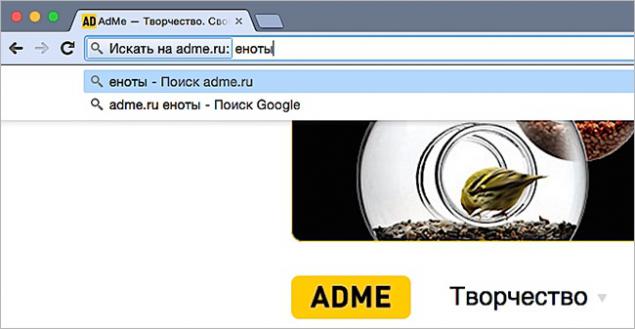
All you need to do - is go to the site you are interested in. Put the cursor at the end of the address bar and press Tab
Open the window sending mail 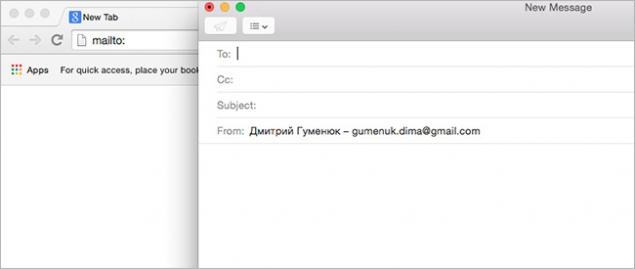
To write a letter, sometimes you have to make a lot of extra manipulation: go to Gmail or a third-party mailbox. Although you can do it much faster and easier: simply type in the address bar mailto: Enter .
Check the security of the site 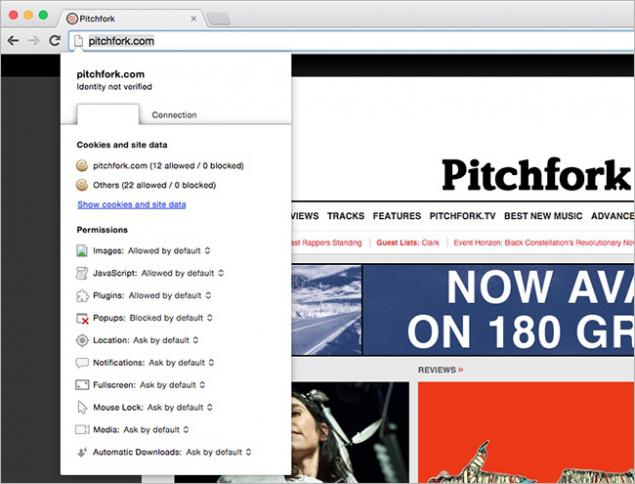
If the site that you are visiting, it seems suspicious, you can use this feature. Monitor everything that happens on the page. To do this, click on the page icon in the upper left corner, and you open all the processes running at this time. You can also find information about the use cookies JavaScript
Currency converter and calculator 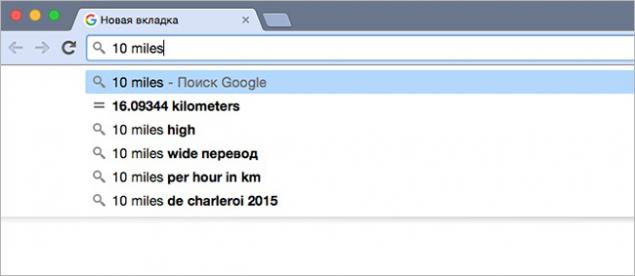
If you want to spend some simple mathematical operation - for example, to transfer minutes to hours or meters in a mile - you can not search for a calculator on your computer or a special online converter online. This can make for you Chrome: enter the required information into the address bar. For example, 50 c = f 50 feet = inches
Notepad in the browser 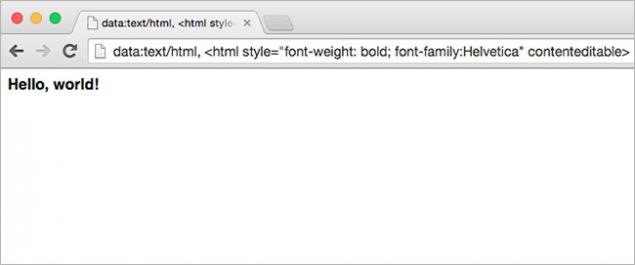
If you urgently need to write down any information, but you do not have a piece of paper and pens, and the program "Notepad" lost in the wilds of your computer and look for it - it's a waste of time, it is advisable to remember the following combination. Just type in the address bar data: text / html, & lt; _html contentediable_ & gt; without «_» Bookmarks
File Manager 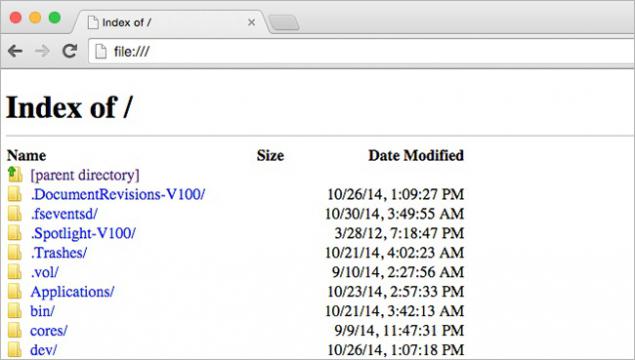
The browser can also be used as a file manager. To do this, simply enter C: / Windows file: // localhost file: /// ) on Mac Linux
Watch saved passwords 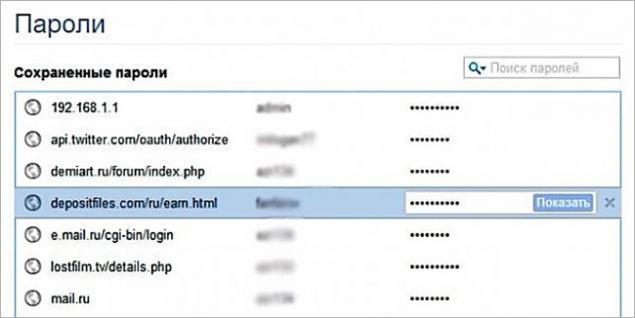
If you do not already know, Chrome has a built-in password manager. They can not only use as intended, but also, if necessary, to view all the saved passwords. To do this in the address bar, enter chrome: // settings / passwords
via www.infoniac.ru/news/10-poleznyh-funkcii-brauzera-Google-Chrome-o-kotoryh-vy-vozmozhno-ne-znali.html
To write a letter, sometimes you have to make a lot of extra manipulation: go to Gmail or a third-party mailbox. Although you can do it much faster and easier: simply type in the address bar mailto: Enter .
Check the security of the site
If the site that you are visiting, it seems suspicious, you can use this feature. Monitor everything that happens on the page. To do this, click on the page icon in the upper left corner, and you open all the processes running at this time. You can also find information about the use cookies JavaScript
Currency converter and calculator
If you want to spend some simple mathematical operation - for example, to transfer minutes to hours or meters in a mile - you can not search for a calculator on your computer or a special online converter online. This can make for you Chrome: enter the required information into the address bar. For example, 50 c = f 50 feet = inches
Notepad in the browser
If you urgently need to write down any information, but you do not have a piece of paper and pens, and the program "Notepad" lost in the wilds of your computer and look for it - it's a waste of time, it is advisable to remember the following combination. Just type in the address bar data: text / html, & lt; _html contentediable_ & gt; without «_» Bookmarks
File Manager
The browser can also be used as a file manager. To do this, simply enter C: / Windows file: // localhost file: /// ) on Mac Linux
Watch saved passwords
If you do not already know, Chrome has a built-in password manager. They can not only use as intended, but also, if necessary, to view all the saved passwords. To do this in the address bar, enter chrome: // settings / passwords
via www.infoniac.ru/news/10-poleznyh-funkcii-brauzera-Google-Chrome-o-kotoryh-vy-vozmozhno-ne-znali.html
If you want to spend some simple mathematical operation - for example, to transfer minutes to hours or meters in a mile - you can not search for a calculator on your computer or a special online converter online. This can make for you Chrome: enter the required information into the address bar. For example, 50 c = f 50 feet = inches
Notepad in the browser
If you urgently need to write down any information, but you do not have a piece of paper and pens, and the program "Notepad" lost in the wilds of your computer and look for it - it's a waste of time, it is advisable to remember the following combination. Just type in the address bar data: text / html, & lt; _html contentediable_ & gt; without «_» Bookmarks
File Manager
The browser can also be used as a file manager. To do this, simply enter C: / Windows file: // localhost file: /// ) on Mac Linux
Watch saved passwords
If you do not already know, Chrome has a built-in password manager. They can not only use as intended, but also, if necessary, to view all the saved passwords. To do this in the address bar, enter chrome: // settings / passwords
via www.infoniac.ru/news/10-poleznyh-funkcii-brauzera-Google-Chrome-o-kotoryh-vy-vozmozhno-ne-znali.html
The browser can also be used as a file manager. To do this, simply enter C: / Windows file: // localhost file: /// ) on Mac Linux
