720
56 teams that everyone should know by Windows. It's just come in handy!
Use commands when working with Windows - it is very convenient. Unfortunately, not all regular users know about it. But you have a chance to simplify their daily work at the computer. Using commands, you not only save time, but you will work much more effective! Choose items that can come in handy most and use on health.
First you need to go to the command line as follows: Start - All Programs - Accessories - Run.
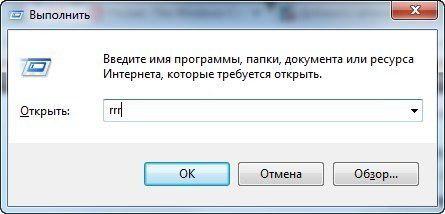
Then you simply enter in this box you need a team.
appwiz.cpl calc charmap chkdsk cleanmgr cmd compmgmt.msc control control admintools control desktop control folders control fonts control keyboard control mouse control printers control schedtasks desk.cpl devmgmt.msc dfrgui diskmgmt.msc ddiag eventvwr.msc eplorer firefo firewall.cpl ieplore inetcpl.cpl logoff magnify main.cpl migwiz mmsys.cpl mrt msconfig msinfo32 mspaint ncpa.cpl notepad osk perfmon powercfg.cpl prs regedit rrr shutdown sysdm.cpl syskey taskmgr timedate.cpl utilman verifier wab winver wmplayer write wscui.cpl
Do not forget to share with your friends by these useful commands! Take care of loved ones, Dari them with valuable information.
via takprosto cc
It is better to see once than hear a hundred times. SIFCO showing amazing phenomenon ...
This guy will show you how to make glow in the dark table. No magic, everything is very simple!